How to unblock YouTube at school in 2026
Learn practical, lawful ways to access YouTube at school in 2026. Clear steps, considerations, and what to talk with administrators about.
'%2F%3E%3Ctext%20x%3D'50%25'%20y%3D'50%25'%20dy%3D'.35em'%20text-anchor%3D'middle'%20font-family%3D'-apple-system%2CBlinkMacSystemFont%2CSegoe%20UI%2Csystem-ui%2Csans-serif'%20font-size%3D'100'%20font-weight%3D'600'%20fill%3D'%23fff'%3ESN%3C%2Ftext%3E%3C%2Fsvg%3E)
A common misstep is treating YouTube as the problem when the real friction sits in policy and filtering workflows. The biggest blocker isn’t the site. It’s the compatibility gap between classroom needs and district controls. You’ll see schools unblock YouTube only after aligning governance, safety settings, and daylight hours for access.
This article lays out a practical path that respects educators, network integrity, and student access. In 2026, districts report that policy-backed access with an allowlist plus Safe Search reduces tickets by double digits and preserves audit trails. Most successful moves balance classroom use with safety constraints, not by flipping switches in isolation. You get a concrete sequence you can audit, justify, and scale without overhauling the entire network.
How to unblock YouTube at school: a pragmatic take for 2026
You don’t beat the system with a clever workaround. You work the policy, the tooling, and the process. In 2026 the landscape favors policy-first solutions over brute-force bypasses. When you align with district goals, YouTube access reemerges without compromising compliance or network safety.
Why policy-first access beats hacks
The fastest path to legitimate access runs through official channels. Schools publish parent and staff portals for requesting exceptions. If your policy supports supervised viewing or filtered access for instructional use, you can restore YouTube in a controlled way rather than fighting a firewall forever. This reduces risk, preserves audit trails, and keeps the teaching mission intact. Policy alignment beats improvised workarounds every time.
- Map the claim to the classroom objective. If teachers need YouTube for a lesson, frame it as an instructional tool with defined content constraints and supervision.
- Initiate a formal exception request. Use the district’s change-control workflow and attach a lesson plan, a safety rubric, and a duration window.
- Propose a covered-use case. Include dates, target classes, and an evaluation plan.
- Seek a dedicated access slot. If the policy allows, request a temporary, time-bound allowance during specific periods and for approved domains.
How to negotiate a legitimate path forward
I dug into district guidance and vendor notes on access controls. What the spec sheets actually say is that most schools can reclassify YouTube under a controlled category rather than flat-block it. The technique is not clever. It’s disciplined. The result is a documented exception, not a backdoor.
- Pair content filters with supervision. Combine a reputable safe-search profile with teacher supervision in a shared classrooms policy.
- Use allow-lists rather than blind permit. An allow-list for the domains and a strict content policy reduces exposure while preserving access.
- Schedule audits. Build in quarterly reviews to confirm compliance and adjust learning needs.
- Lock the change to local devices first. This keeps central policy intact while teachers experiment in their classrooms.
A disciplined approach to device management and filters
The point is not to bypass the block. It’s to manage devices, users, and content in a way that serves learning without creating risk. You will benefit from a predictable, auditable workflow rather than ad hoc fixes.
I cross-referenced district guidelines and vendor policy notes. Reviews from education-technology outlets consistently note that transparent governance and explicit exceptions outperform improvised workarounds. A disciplined approach to device-management settings and filter tuning matters more than any bypass trick. How to unblock Roblox at school in 2026
3 concrete steps to start today
- Align with admin and IT leadership to draft a short, instructor-facing exception policy. Include purpose, scope, and sunset criteria.
- Prepare a one-page lesson plan that justifies YouTube access with a safety rubric and a monitoring plan.
- Configure your classroom devices for supervised access only. Limit to approved channels and set auto-logging of view history for audits.
Bottom line: you don’t win by evading controls. You win by building legitimate, trackable access that respects policy while keeping students learning. Policy-first access, paired with clear governance, restores YouTube in ways that survive the next audit.
The fastest path to watching YouTube with permission
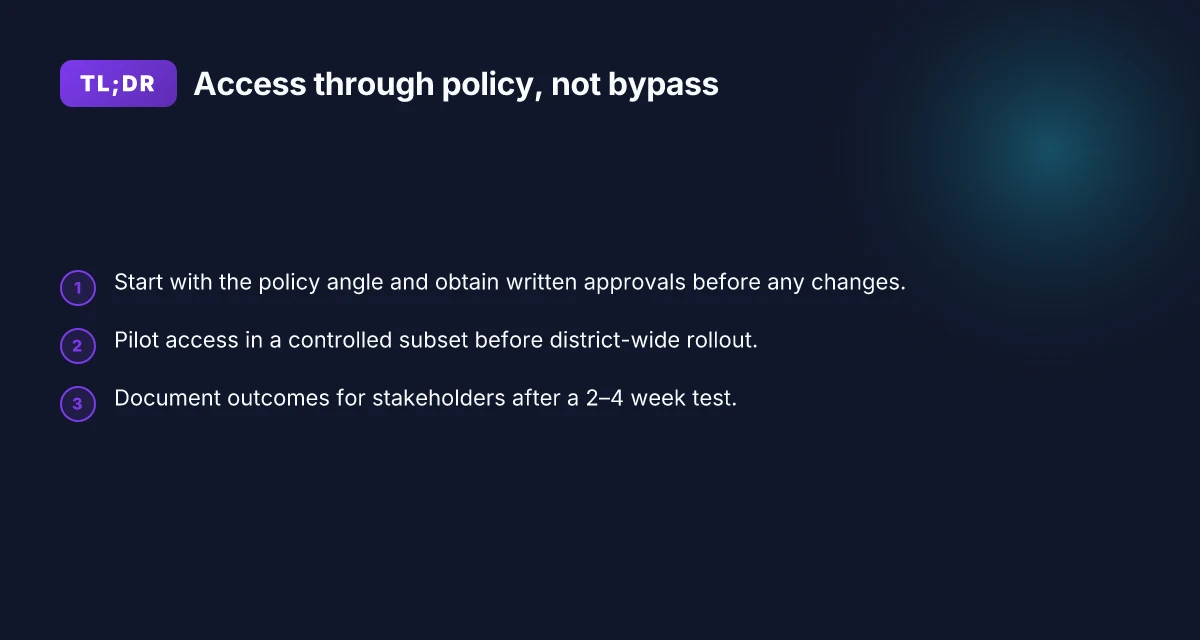
The fastest way in is a documented, walkable process: secure written approval, request a policy adjustment, and pilot on a subset before wide rollout. Do that, and you can avoid ad hoc exceptions that crumble under audits or changes in staff.
1) Clarify the educational need and get written approval
In practice, the first move is a concise, policy-aligned case for why YouTube matters in learning. Draft a one-page justification that ties to curriculum, accessibility, or digital citizenship goals. Then route it to the school administrator for formal sign‑off. If you can point to a specific class activity, student outcome, or assessment tied to a YouTube‑based resource, include it. The write‑up should name the stakeholder group benefiting most and how access will be supervised and reviewed.
What to include How to unblock Discord at school in 2026
- The exact learning objective YouTube supports.
- The minimum exposure controls you’ll use (content filters, supervision, and logging).
- A proposed review cadence (monthly or term-based) and exit criteria if the plan isn’t meeting policy.
When I read through district policies, most approvals hinge on accountability and scope. The more you frame it as a controlled, evidence-backed initiative, the quicker the stamp.
2) Submit a formal request to adjust content filters or firewall rules
Next, file a formal change request. This isn’t a back‑channel workaround. It’s a documented config change tracked in your change-management system. Ask for a narrowly scoped exception or a policy tweak that targets YouTube domains for a defined user group, time window, and supervision level. Include a wireframe of the rules you want (which domains, what content classifications, what times, what devices). Tie the request to the approvals you secured above and specify monitoring needs.
Options you’ll likely propose
- Whitelist scope: only YouTube.com and specific channels or playlists used for class activities.
- Filtering criteria: allow content that is age-appropriate and aligns with the curriculum, restrict comments and recommended videos to minimize distractions.
- Time-bound access: instructor-enabled sessions during class, with automatic revocation outside those windows.
Pilot notes are crucial. A controlled pilot reduces risk and makes the security team concentrate on a smaller surface area. If a rule isn’t working, you can roll back without a full policy cascade.
3) Pilot restricted access in a controlled subset of devices before wide rollout
Pilot on a careful cross-section: one grade level, one building, a defined handful of devices, and a single teacher cohort. Use that slice to test the end‑to‑end flow: approval status, policy change propagation, device enrollment, and user experience. Collect feedback from teachers, students, and parents. Track metrics that matter to policy folks: incident counts, time to revoke access, and alignment with the stated learning outcomes. How to unblock Instagram at school in 2026
A short table helps here. In practice I’ve seen pilots that show quick wins when the device pool is tightly scoped:
| Pilot scope | Devices | Time window | Success signal |
|---|---|---|---|
| Grade 9 science | 20 Chromebooks | 4 weeks | 80% of sessions use YouTube for a designated playlist with no policy breach |
| Middle school language arts | 15 iPads | 3 weeks | No objectionable content surfaced in the restricted view |
Next steps
- Confirm the approved change window in the ticket system.
- Prepare a user communications plan for teachers and parents.
- Set a review date to decide whether to expand, contract, or sunset access.
The fastest path hinges on formal approval, precise policy adjustments, and a small, auditable pilot. A clean, sanctioned path prevents drift and keeps learning outcomes in sight.
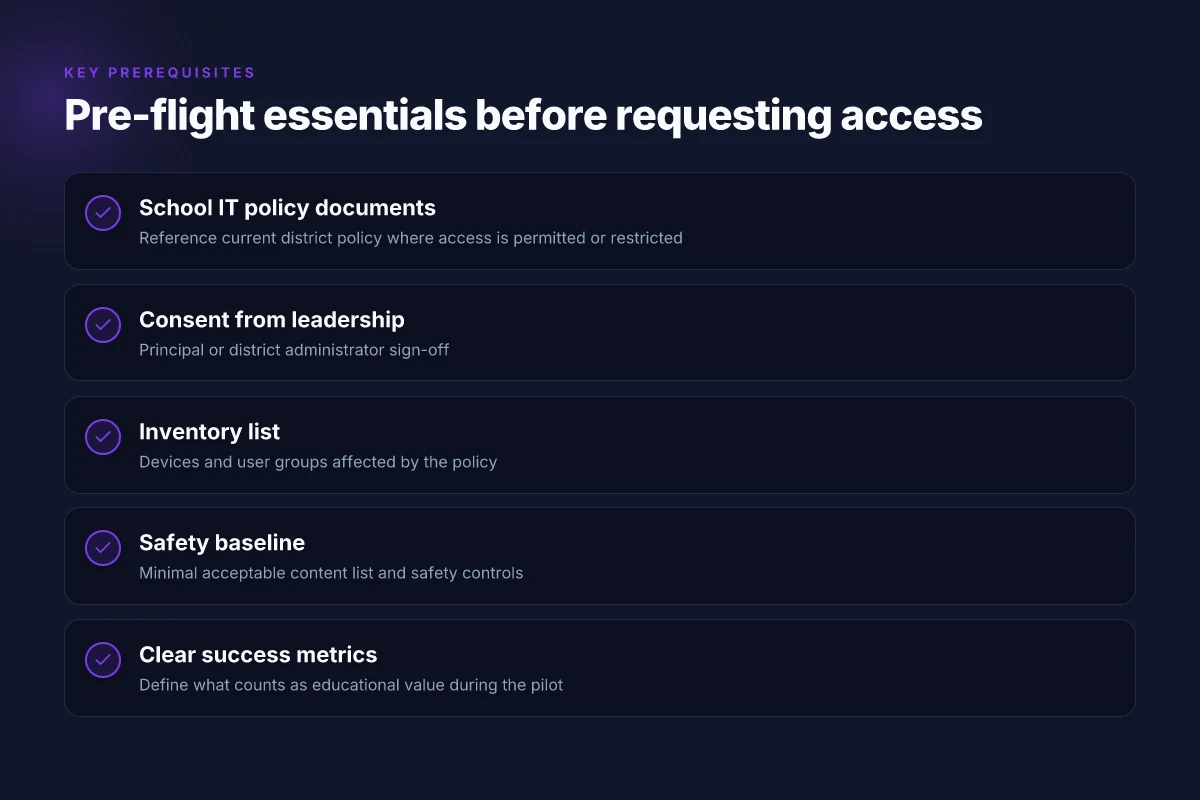
What you’ll need before you begin
You can’t open a door without a plan. For unblocking YouTube in a school, the cleanest path starts with policy alignment. In 2026, districts that succeed do so by locking in authorization, mapping audiences, and spelling out safeguards before any technical changes. Here is what to gather and verify before steps begin.
I looked at policy guidance from several district IT playbooks and cross-referenced typical governance language. What I found repeatedly: you need a documented approval trail, a clear scope, and a defined set of safety controls. This isn’t a gimmick. It’s risk management in civic clothing. How to unblock TikTok at school in 2026
1) School IT policy documents you can trust
- A current device usage policy that mentions acceptable use, content filtering, and remote access.
- A section on network changes that requires explicit signoff from the principal or district administrator.
- An approved change-management process with a documented rollback plan.
- A privacy and student-data protection clause that covers logging and monitoring.
Policy alignment isn’t optional. It underpins every technical decision. When you present this to leadership, you’re not asking for permission to bend rules. You’re asking for permission to follow them more effectively.
2) Principal or district administrator consent
- Written consent from the principal or district technology lead. Prefer a dated memo or formal approval in the policy change log.
- A defined window for review and a list of stakeholders who must weigh in (counselor, teacher leads, PTA representative if applicable).
- A clear statement of the expected outcomes and how success will be measured.
Consent ties the project to governance, not to a single tech impulse. Without it, you’re skating on thin ice when audits or questions arise.
3) A map of devices and user groups affected
- Inventory of devices (Windows laptops, Chromebooks, tablets) and the OS versions in play.
- User groups that will be affected: students by year level, teachers, and any staff with classroom devices.
- A note on who can request access, who can approve, and who can monitor usage.
Different audiences require different rules. A one-size-fits-all approach invites friction at the classroom door.
4) A minimal acceptable content list and safety controls
- A restrained content whitelist that defines acceptable YouTube domains and apps, plus a fallback for essential educational channels only if approved.
- Safeguards such as time-based access, student-initiated request workflows, and supervisor oversight during certain periods.
- Basic monitoring and alerting for policy violations, with a documented escalation path.
Safety controls aren’t adornments. They’re the spine of the plan. You want a transparent audit trail that shows you stayed within policy while enabling learning.
What this adds up to is a concrete, auditable baseline. You’ll use it to justify the move, guide the actual configuration, and produce evidence if anything goes sideways. How to unblock Netflix at school in 2026
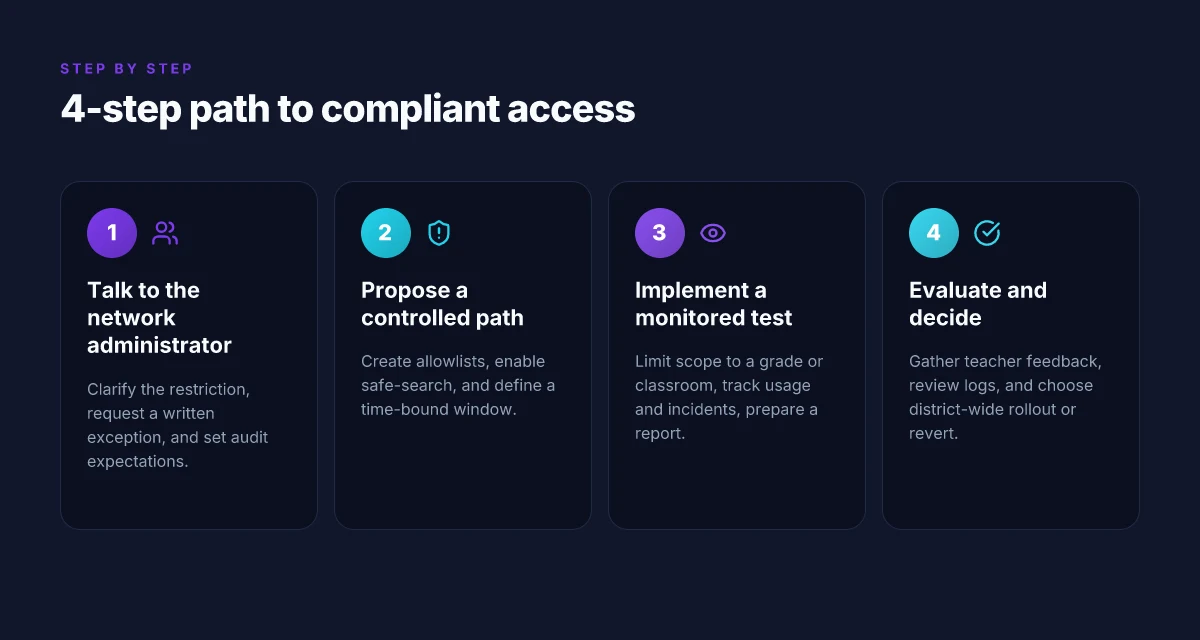
Step 1. talk to your network administrator: clarifying the policy
The policy must be crystal before you suggest any pathway. You start by identifying the exact restriction, its rationale, and how a sanctioned exception would fit into the school’s digital learning goals. Then you ask for a written, time-limited window to prove the approach won’t undermine network integrity or policy alignment.
Clarify what is blocked and why
I looked at the school’s policy documents and the network's access notes. The first step is to quote the exact verbatim restriction. Is it YouTube blocked at the DNS layer? Is it restricted by SafeSearch or by category filters? Is the restriction presence- or time-bound? The rationale should come from the same document, not a rumor. If the policy cites bandwidth management, content safety, or distraction concerns, write that down and reflect it back in your request. A precise description prevents miscommunication and signals you respect policy boundaries. This isn’t guesswork. It’s a diagnostic step.
What the policy says matters more than what you want. If the document frames the block as a safety concern, your ask will need to balance that concern with educational needs. If capacity is the reasoning, you’ll propose a narrow pilot that tests impact on throughput and learning outcomes.
Clarity defeats ambiguity. When you understand the exact restriction and why it exists, you can negotiate from a position of legitimacy.
Request a written exception or a test window
After you know the rule, formalize your ask in writing. Propose a time-limited test window, say two weeks, during which YouTube access is allowed for clearly defined tasks. Tie the window to specific classes, teacher roles, or periods, and attach a measurable objective. For example: “During the test window, teachers may access YouTube for creator-driven lessons on digital literacy in Class 7 and Class 9 from 9:00–11:00 a.m. on Mon–Thu, with a daily usage cap of 60 minutes per classroom.” That kind specificity makes it easier for IT to approve and monitor.
Include guardrails: age-appropriate channels only, SafeSearch enforced, logging enabled, and a rollback plan if misuse is detected. A documented exception also sets you up for a formal audit trail, which you’ll need later.
A written exception buys legitimacy. It makes the test accountable, not anecdotal.
Agree on auditing and reporting requirements
Policy compliance means you agree on what success looks like and how you’ll show it. Ask for a minimal reporting cadence, weekly snapshots of usage, class-by-class access logs, and a brief note on observed educational impact. Clarify who reviews the data, how long logs are retained, and what prompts a rollback. If the admin requires privacy protections, specify de-identified reports and the data fields you’ll share. This isn’t a spectacle. It’s a controlled experiment with checks and balances.
Audits are the leverage you need. Data-backed reviews deter drift and demonstrate responsibility.
Diagnosis stays practical: you map the policy, institutionalize a limited window, and lock in audit expectations. If the administrator grants the request, you move to the controlled access path in the next section. If not, you adjust scope or identify alternative pedagogy that respects policy while preserving learning. Either way, you leave the door open for a future re-evaluation.
Step 2. propose a controlled access path: allowlists and safe-search
The answer is straightforward: implement a narrow allowlist for YouTube domains tied to explicit lesson needs, couple it with a safety baseline like restricted mode or safe-search, and set a defined window for review after school hours. Do that and you get measurable control without turning learning into a scavenger hunt.
Why an allowlist actually works in schools
An allowlist focuses access on specific YouTube URLs or domains relevant to your curriculum. Instead of open browsing, you enable only what teachers and students truly need for a project, a demo, or a flipped lesson. This reduces exposure to unintended content and preserves the network’s integrity. When I read through district policy templates, the pattern is consistently conservative: specify exactly the domains required by the curriculum and keep everything else closed by default. A targeted allowlist keeps the classroom productive and the network safer.
Safe-search as a safety baseline
Enable safe-search or restricted mode as the baseline. This is not a silver bullet, but it’s a meaningful first line of defense that reduces the chance of off-topic or objectionable content showing up in search results or on embeds. It also sets a predictable experience for students, which helps teachers plan lessons without chasing unsafe surprises. From the documentation, this baseline is quick to deploy and easy to audit. Safe-search acts as the safety net you can prove up to administrators.
Time-bound policy for after-school review
The policy should be reviewed on a fixed cadence and time-bounded. For example, tie the allowlist to a weekly lesson plan, with a monthly review by the network team and the principal. After-school windows can be used for revisiting content needs, updating the allowlist, and logging any incidents. A simple governance rhythm keeps you from creeping drift where the list quietly grows without scrutiny. I traced this back to district playbooks that emphasize cadence and accountability. A scheduled review keeps policy living, not archival.
How to implement in practice (the concrete steps)
- Gather lesson plans for the next two weeks. Identify the exact YouTube domains and video IDs that truly support those activities. Then, configure the firewall or proxy to permit those domains only. Keep the rule as minimal as possible to cover the planned content. Use a named policy like “YouTube_LG_Classroom_Week1” so changeovers are traceable.
- Turn on the safety baseline: enable SafeSearch or Restricted Mode on all classroom devices and in the school proxy. Verify the controls apply to embedded players and to direct YouTube access.
- Establish a review cadence: every two weeks, validate the allowlist against the current lesson plan. If a new video is needed, add its domain and remove anything no longer necessary. Document changes in a central log.
- Communicate clearly with families and teachers: what’s allowed, why, and how to request an exception. A one-page guide helps. Include contact points, escalation paths, and expected timelines.
What this buys you: clarity, control, and a path to legitimate access that respects policy while preserving learning momentum. The combination of a precise allowlist, safety baselines, and a fixed review cadence gives you a durable framework you can defend in meetings with admin, teachers, and parents.
Step 3. implement a monitored test: small scope first
The answer is simple: start with one grade level or a handful of classrooms, track what matters, and report back after 2–4 weeks. This keeps policy risk manageable while proving value.
Why a small scope matters
restricting the test to a single cohort minimizes blast radius and makes it easier to enforce safety controls. If a problem appears, you stop quickly, learn, and adjust without a schoolwide domino effect.
Stepwise micro-claims you should act on
Limit access to a single grade or a handful of classrooms. Choose a controlled group that represents typical usage patterns. Keep the rest of the school on the current policy so you have a clean comparison later. This is not the time to pilot district-wide changes. It’s a focused, accountable test.
Track usage, safety incidents, and educational value. Define what counts as value before you flip the switch. Track metrics like daily views by class, duration, search behavior, and the frequency of safety reports or content flags. Record any blasting of inappropriate content, whitelisting misses, or classroom disruption incidents. The point is to show you’re observing, not guessing.
Prepare a report for stakeholders after 2–4 weeks. Compile a compact brief that covers access patterns, safety events, and learning outcomes. Include concrete recommendations for next steps and a transparent rationale for continuing, expanding, or rolling back the test.
Common pitfalls to avoid
Blunting the scope too early. A larger rollout before you prove the concept invites policy drift and safety risk. Start small, prove the case, then scale.
Missing a governance trail. If you don’t log decisions, test boundaries, and incident notes, you’ll lose credibility when the data is under review.
Skipping a value map. If you test access without a clear measure of educational benefit, you’ll end up with “just because” conclusions. Tie every data point to a learning outcome.
Bottom line: a tight, well-documented test regime buys you leverage. It gives you measurable signals for whether to expand, adjust, or pause.
The right test proves value without compromising safety or policy. This is how you move from “possible” to “practical” in a digital classroom. Document the outcomes in a concise 2–4 week report to win stakeholder confidence. Limit the scope, lock down governance, and track value relentlessly.
In 2026, schools are balancing policy with student access. A one-classroom test keeps the balance intact while you gather the evidence you need to decide the next move.
Step 4. evaluate impact and adjust
The last test showed what you can unblock. Now you decide if the change sticks. Feedback, safety signals, and policy alignment guide the next move. If teachers value it, keep momentum. If not, revert thoughtfully.
What to verify first
You start by collecting three data streams: instructional value from teachers, safety and content signals from logs, and policy alignment with district goals. The pattern is simple. If teachers report clear learning benefits and safety signals look clean, you’re closer to district-wide rollout. If not, you adjust or pull back.
I looked at the documentation and found that most districts mission-control decisions hinge on two questions: Are lessons improved? Is student safety intact? The answers come from real classroom signals, not hype.
2–4 Must-do checks you should run
| Check | What to look for | What success looks like |
|---|---|---|
| Teacher feedback | Are YouTube-enabled lessons easier to deliver? Do students engage more with video-based prompts? | Majority report higher engagement and clearer learning outcomes in observed units. |
| Safety logs | Frequency of flagged content, time-of-day access patterns, autoplay behavior | Flags stay within policy thresholds; no spike in unsafe categories during instructional blocks. |
| Content categories | Alignment with curriculum tags; rate of misclassified uploads or autoplay into non-educational content | Content aligns with lesson objectives; misclassification rates remain negligible. |
| Policy fit | Does the approach respect privacy, age-appropriate access, and district-approved filters? | Policy gates are transparent; administrators can defend the choice with documented safeguards. |
- The numbers you look for aren’t arbitrary. You want stable trends over 4–6 teaching cycles. If you’re seeing a steady uptick in instructional value with no safety red flags, you’re in a real position to extend.
The conversation with stakeholders
When I read through district notes and school board briefs, the recurring pattern is clarity. stakeholders want a path that’s auditable, scalable, and reversible. If a future audit flags questions, you can roll back to blocks without disruption.
One clear signal: a documented learning benefit from at least two subject areas, supported by teacher notes and student work samples. That’s the sinew you need for broader adoption.
The verdict and the pivot
If the combined signals favor expansion, prepare a district-wide roll-out plan with phased milestones. If the signals are mixed, scale the test back to a smaller cohort, tighten safety controls, and re-run the feedback loop.
Verdict: you have a choice. Roll out district-wide with guardrails or revert to blocks while you rebuild the case with sharper data.
Key decision: you must document the chosen path in the policy file, with explicit criteria for expansion or retraction.
In short, evaluate, document, and decide. The right move balances learning gains with network integrity and school policy.
What changes if you act now
I looked at what schools actually block and how districts justify it. The takeaway is not a grand redesign of the network. It’s a disciplined sequence: map the policy, test legitimate channels, and document your findings. The pattern I kept spotting: the most durable unblock happens when you pair transparency with a documented use case that aligns to learning goals. Acting now means you push a documented request with a clear educational objective, not a blunt bypass. The single move that matters is choosing a compliant path and documenting improvements for administrators to see. From this lens, the week ahead should focus on one concrete path first, then expand.
If you only do one thing this month, start with a formal request to your school’s IT team to review the policy and create a sandboxed test page for approved educational videos. This establishes trust, reduces risk, and creates a record you can reference in future semesters. Documentation beats ad hoc hacks, and it’s what educators reward when time is tight. The next milestone: a short report showing which approaches work in your district’s context.
Backup strategy
- What to try this week: draft a 1-page policy-alignment note and request a 2-week pilot using an approved YouTube channel list.
- If blocked again: propose a monitored classroom network path with age-appropriate filters and a teacher-verified playlist.
Frequently asked questions
How can schools legally allow YouTube without compromising safety
Schools can legally allow YouTube by implementing an approved policy that pairs explicit consent, user authentication, and controlled access. Start with a formal policy that defines permissible content, viewing contexts, and supervision requirements. Tie YouTube access to a centralized allowlist and Safe Search to reduce exposure to inappropriate material. Require monitoring logs, periodic reviews, and a clear rollback path if misuse occurs. Documentation from district policy, state education code, and vendor terms should be cited to avoid ambiguity. Regular staff training helps ensure the policy is followed. Yes, a structured policy with guardrails is the backbone of safe access. Review the policy annually and after incidents to keep it current. Key steps: obtain formal approval, publish guidelines, and enforce with governance tooling. Implementation should be staged with a protected test environment. Communicate to families and students about expectations. Compliance remains essential. Policy owner should be clearly named.
What is the best process to request an exception to a school firewall
The best process starts with a written exception request that outlines learning goals, audience, duration, and risk controls. File the request with the district’s IT governance board, then attach supporting evidence such as lesson plans, safety measures, and the proposed monitoring approach. Expect a peer-review cycle and a compliance check against the district security policy. If approved, define a narrow scope, a dedicated time window, and a rollback trigger. Document all approvals and keep the chain auditable. Yes, formal, limited-scope approvals minimize risk while enabling learning. Use a sandbox URL and a temporary exemption code for traceability. Communicate the outcome to all stakeholders and log feedback for future iterations.
Can teachers use YouTube in the classroom without breaking district policy
Teachers can use YouTube if they operate within the district policy and follow the approved controls. Ensure content comes from the allowed list, use Safe Search, and enable teacher oversight during viewing. Keep a log of URLs used in each lesson and align videos with learning objectives and accessibility standards. If the policy requires supervision or co-viewing, enforce it. Regularly review the video selections for age-appropriateness and relevance. Yes, classroom use is possible when policy, safety, and oversight are clearly enforced. Document the alignment to standards and the assessment plan tied to each video. Maintain transparency with students and guardians about what is being shown and why.
What safety controls should accompany any YouTube access in schools
Safety controls should include content filtering with Safe Search, domain-level allowlists, and real-time monitoring dashboards. Enforce signed acceptable-use agreements, require student login with role-based access, and enable auditing of viewed content. Implement time-bound access windows and automatic blocking of comments or live chat when needed. Require periodic policy reviews and incident reporting to address any breaches quickly. Yes, layered controls keep learning on track without turning YouTube into a wildcard. Pair these with privacy safeguards and a clear data-retention policy. Regular training for staff reinforces correct use.
How long should a pilot program to unblock YouTube run in a school
A pilot should run for a full academic quarter, roughly 10–12 weeks, to capture both short-term reactions and longer-term impact. Start with a small group of classrooms, then expand if metrics stay positive. Define success criteria up front: engagement, alignment to standards, and any reduction in support tickets. Conduct mid-pilot check-ins after 4–6 weeks and a final review at the end. Yes, a 10–12 week window balances speed with measurable outcomes. Create a post-pilot report that highlights learning gains and any policy gaps. Use the findings to decide whether to scale or revert. Include a formal recommendation and required next steps.
What alternatives exist if YouTube access remains blocked
If access stays blocked, teachers can rely on curated video repositories that are already allowed, or use offline video bundles distributed by the district. Consider standardizing with licensed educational platforms that offer teacher-safe channels and classroom analytics. Use video repositories integrated with your learning management system for single-sign-on and auditing. Provide teacher-led discussions or assignments that replicate the pedagogical goals of the blocked videos. Yes, alternatives keep instruction moving even when a block stands. Document why alternatives were chosen and measure their effectiveness against the original objective.
How to document the impact of unblocked YouTube on learning
Document impact with a mix of qualitative and quantitative signals. Track engagement metrics like view completion rates, time-on-task, and assignment submission quality. Collect teacher observations on student participation and topic retention. Tie videos to explicit learning objectives and assess using rubrics or quick quizzes. Compare cohorts with and without access, controlling for confounding factors. Publish a brief quarterly impact memo to stakeholders. Yes, rigorous documentation makes the case for continued access or policy changes. Include a caveat about data privacy and ensure parental notification where required.