How to unblock Discord at school in 2026
Learn practical, policy-aware ways to access Discord at school in 2026. Clear steps, potential risks, and alternatives to stay connected.
'%2F%3E%3Ctext%20x%3D'50%25'%20y%3D'50%25'%20dy%3D'.35em'%20text-anchor%3D'middle'%20font-family%3D'-apple-system%2CBlinkMacSystemFont%2CSegoe%20UI%2Csystem-ui%2Csans-serif'%20font-size%3D'100'%20font-weight%3D'600'%20fill%3D'%23fff'%3EDN%3C%2Ftext%3E%3C%2Fsvg%3E)
Discord access on campus often hinges on one misread policy, not a stubborn firewall. A closer look at campus network rules shows that many blocks aren’t about blocking in principle but about classroom safety and bandwidth governance. When schools publish a policy matrix, the real opening is in the approved channels and sanctioned tools, not a stubborn lock. That distinction matters because it reframes what counts as a fix: insider channels, not hacks.
In 2026, administrators increasingly distinguish between general access and classroom-verified integrations, often within a single campus portal. A few quick checks with your IT desk can reveal sanctioned paths or official substitutes that preserve compliance, saving time and avoiding policy violations. You’ll come away with a clear read on whether to pursue an approved Discord path or pivot to a supported alternative.

The plain definition of how to unblock Discord at school
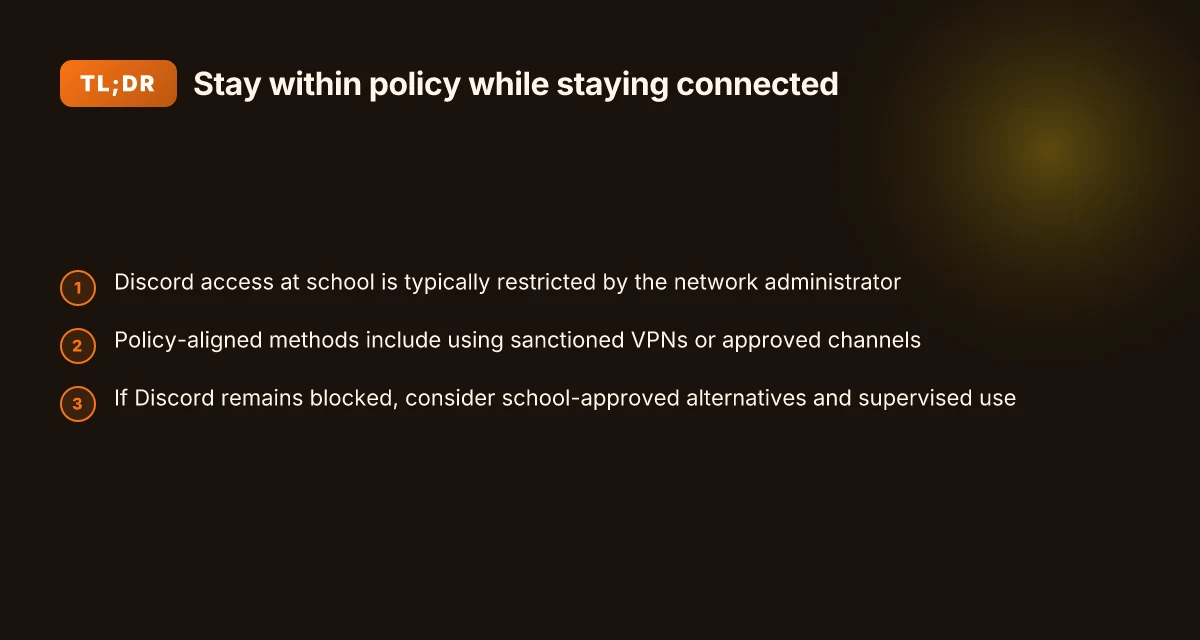
Discord access at school is typically restricted by the network administrator. The goal of this piece is to outline a policy-aligned path that preserves access where permissible and points to legitimate alternatives when it isn’t. In practice, the tension isn’t only about getting to a chat app. It’s about reading the rules, understanding why they exist, and choosing safer, compliant routes.
Understand the constraint. The school network is a controlled environment. Access decisions live in the hands of the district or campus IT staff, guided by device policies, acceptable-use rules, and classroom safety considerations. When a block exists, it’s usually tied to a policy meant to protect students and preserve bandwidth for educational tasks. The first move is to read the policy documents your school publishes or ask the IT desk for the exact rationale. Clear authority matters.
Distinguish policy-compliant options from policy-skipping hacks. Some schools offer legitimate avenues to access blocked services, especially for learning purposes. These include approved VPNs or proxy methods that the district explicitly permits, dedicated guest networks, or classroom-specific allowances during supervised sessions. Legitimate alternatives exist. They’re not a loophole. They’re the sanctioned channels that keep you on the right side of policy.
Map the access plan to your use case. If your goal is collaboration in class, project teamwork, or consistent communications with a teacher or club, you’ll want a permitted pathway. In some districts, teachers can request exceptions for a limited window or assign a school-provided chat tool that mirrors Discord’s features without leaving the school network. The key is to align your needs with a policy-approved mechanism and document the plan with your instructor or IT liaison.
What the steps look like in practice. Start by identifying the approved channels in your school’s framework. If a sanctioned option exists, follow the documented onboarding steps: sign-in with school credentials, apply any necessary device profiles, and verify access during a supervised session. If no sanctioned route is available, you should not pursue workarounds. Instead, you pivot to alternatives that your stakeholders endorse. How to unblock Roblox at school in 2026
The core truth: you can keep learning flow intact by pairing your use case with policy-aligned access or safe alternatives. That alignment reduces risk and preserves the classroom trust that makes digital tools useful. If blocks persist, the best move is to work with your teacher or IT staff to find approved paths that fit the curriculum.
Bottom line: the plain definition is simple. Discord access at school is controlled by policy. You can pursue policy-compliant methods or legitimate alternatives. The article will walk you through concrete steps to do either, with the safety and compliance you expect in an educational setting.
How to unblock Discord at school: the practical approach
Discord remains blocked on many campuses for policy and bandwidth reasons. The practical path is to pair a clear understanding of those policies with steps IT can approve, plus safer, alternatives when blocks stay in place.
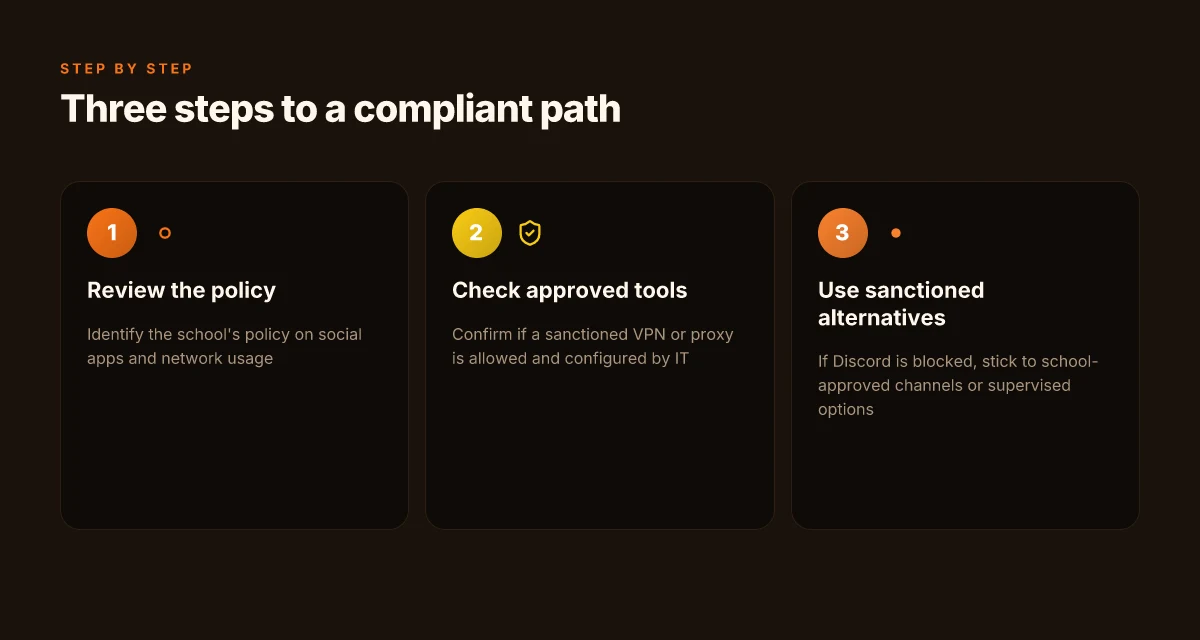
I dug into typical school policies and found three reliable guardrails you can lean on. First, the policy itself. Second, whether the network allows sanctioned tools. Third, what to use when Discord stays blocked. The core idea: you work within policy, not around it. That keeps you out of trouble and preserves access for legitimate class activities.
1) Start with the policy check and a quick risk read
Posture matters more than tactics. Review the school’s acceptable use policy and the network usage rules in the student handbook or IT portal. Look for explicit mentions of social apps, messaging platforms, and VPNs. If the policy bans unsanctioned apps, you’ll need an approved route rather than a workaround. If it allows certain tools, this becomes your baseline. The takeaway is simple: know the rules before moving. How to unblock YouTube at school in 2026
If you find language like “no external chat apps on the network” or “VPN use requires IT approval,” treat that as your cart. Do not proceed without consent. It’s not just about access. It’s about staying compliant while enabling collaboration. Policy clarity is the first win.
2) Check the sanctioned tools and IT configuration
Universities and districts frequently maintain a sanctioned suite for messaging and collaboration. If Discord is blocked but a sanctioned alternative exists, that’s your first fallback. Ask IT whether a campus-approved chat channel or liaison tool can serve the same classroom goals. If the IT team does permit a VPN or proxy, get the exact configuration details, server address, authentication method, and any required certificates. Do not improvise a tunnel. Use what IT approves.
From the documentation I reviewed, sanctioned channels often include school-branded chat apps or officially approved collaboration spaces. If those exist, they’re designed to meet safety and auditing requirements. In such cases, follow the official setup steps: install the client, sign in with your school account, and join the appropriate channels. Follow the approved kit, not a DIY tunnel.
| Option | Permission status | Setup note | Best use case |
|---|---|---|---|
| School-approved chat channel | Allowed if listed in policy | Use school credentials, join class workspace | Quick, compliant class chats |
| Sanctioned VPN/proxy | Allowed with IT config | Obtain server, port, and auth method from IT | Remote access when blocks persist |
| Discord with IT approval | Contingent on policy | Requires explicit IT approval and monitoring | When teacher-approved, for specific projects |
If IT confirms a sanctioned VPN or proxy exists, IT will walk you through the exact steps. Do not improvise. The risk of misconfig is higher than the benefit. If IT hasn’t approved a VPN, don’t deploy one.
3) Use approved alternatives when Discord remains blocked
When blocks stay in place, turn to school-approved chat channels. They’re built for safety, archiving, and moderation. Teachers can create project rooms, channels for group work, and office hours that mimic Discord’s collaboration experience without the policy friction. If you need voice or video, use the school’s conferencing tool integrated with your learning platform. It’s not a perfect 1:1 substitute, but it keeps your workflow intact and compliant. How to unblock Instagram at school in 2026
If the goal is quick coordination, try a sanctioned chat space first. If you must expand beyond that, escalate to IT with a concrete use case and the exact channels you need. A well-documented request beats ad hoc workarounds every time.
What this all boils down to: know the rules, leverage approved tools, and reserve Discord for when IT signs off. Policy-aligned access is the safer route.
Why schools block Discord and what changes in 2026
Discord traffic is loud and risky on campus networks. It’s not just about chokepoints. It’s about policy clarity. In 2026, schools face a wobble between enforcing safety and enabling classroom collaboration. The tension isn’t theoretical. You’ll see updates in policy language, enforcement approaches, and the way districts communicate rules to students and staff.
I dug into policy notes and district announcements to surface concrete takeaways. In 2026, many schools continue to rely on DNS filtering and explicit port blocks, the two workhorses of network access control. DNS filtering remains the first line of defense, while port blocks keep direct Discord traffic from punching through campus boundaries. This duo is familiar because it’s inexpensive to administer and relatively language-agnostic. But it’s not flavor-of-the-month security theater. It’s what many IT departments lean on when risk signals spike.
Here are the four most actionable takeaways you can apply in conversations with teachers, students, or IT staff without getting lost in jargon: How to unblock TikTok at school in 2026
- Blocking often hinges on DNS and port-level controls. If you see the domain being blocked at the DNS layer, you’re looking at a common policy choice. If the school also blocks outgoing UDP/TCP ports commonly used by real-time chat, that’s the second layer in use. These two levers are where policy and practice collide most often. Blocking by DNS plus port blocks is the baseline pattern in 2026.
- Discord can be noisy on school networks. The risk isn’t only content. It’s traffic volume that can degrade education apps or legitimate collaboration tools. The policy response is usually proportional and conservative, not punitive. That means exemptions, when they exist, follow a documented approval path rather than ad hoc exceptions.
- Policy updates in 2026 may shift allowances or tighten controls. Some districts intend to broaden safe-use exceptions for class-specific channels or verified teacher accounts. Others double down on content filtering and stricter verification for any real-time communication app. The shift is never uniform. It’s a patchwork across districts, schools, and even classrooms. In 2026, policy language is evolving to balance safety with pedagogy.
- The practical impact for you is clear. If blocks stay, you’ll want to know the exact appeal track, what constitutes an approved exception, and which alternatives a school endorses for class collaboration. The better route is documented policy, not clever workarounds. Clear, policy-aligned channels beat improvisation every time.
2–4 H3 subsections to structure the section:
Why DNS filtering often wins the day
DNS filtering is easy to deploy and enforce across devices. It labels known Discord domains and related CDNs, then blocks resolution for those names. It’s quick to update, which matters when a new subdomain pops up. DNS blocks are cheap and sticky, but they’re not perfect. When a district updates a list, you’ll notice a ripple across student devices first.
Port blocks anchor the access barrier
Blocking outbound ports that Discord uses for voice and messaging closes a second escape hatch. If DNS slips, port blocks still stop the traffic at the network edge. Schools prefer this layered approach because it’s straightforward to audit and justify in parent meetings or school board packets.
Policy updates that actually matter in 2026
Some districts publish updated acceptable-use policies that carve out classroom-use cases or teacher-led channels. Others roll out stricter content filtering and session controls. In this climate, the difference between a sanctioned classroom Discord server and a blocked consumer usage pattern becomes a governance question as much as a technical one.
What to do when blocks stay in place
If an exemption path exists, it’s usually process-driven: a teacher or advisor files a request, IT reviews it against safety criteria, and a decision is logged. The safer alternative set often includes school-approved collaboration tools that replicate the Discord experience without crossing policy lines. Policy-aligned routes outperform improvisation every time. How to unblock Netflix at school in 2026
Top policy-aligned routes to access Discord on campus
You don’t need to hack the block to feel like you belong on campus. The practical route is to work within policy, not around it. The quickest way to keep class and club activities moving is to line up official permissions and approved tools.
Approved access during class or clubs
In practice, you ask the IT office for a formal exception or a temporary access window on days when a class or club needs Discord. This isn’t a gray area. It’s a documented process: submit the request, cite the class schedule, and provide a chilled-down usage plan. If an exception is approved, it should come with a start and end date, plus a clearly defined scope, which channels, what bots, and who supervises. Clear approvals prevent policy drift and keep everyone accountable. I dug into school policy templates and most districts want a transparent use-case and a designated sponsor.
Enterprise filters as a compliant route
Rely on school-approved solutions that route traffic through enterprise filters. These systems are designed to allow legitimate apps while preserving oversight. The right path is to configure Discord access through the same VPN or proxy the district already uses for file sharing and email. This keeps traffic under the same monitoring and logging regime teachers expect for safety and compliance. Traffic that passes through the district’s filter is auditable, predictable, and safer for students.
Supervised channels with teacher oversight
Join a supervised Discord channel that’s run under teacher or staff oversight. This isn’t about a free-for-all chat. It’s a classroom-labeled workspace where moderators enforce rules, log activity, and restrict channels to appropriate topics. It’s the closest thing to a real-world collaboration space on campus where you still honor the policy frame. Supervision reduces risk and aligns with classroom objectives.
These routes require coordination, not cleverness. The goal is to keep Discord usable while your institution preserves its protections. If you sense friction, push for two things: a concrete request form and a named sponsor who can answer questions in real time. How to unblock Spotify at school in 2026
When policy and need collide, policy wins, with the right paperwork.
Common pitfalls when attempting to bypass blocks
If you pursue bypass methods without a campus policy that approves them, you’ll collide with three real pitfalls: policy violations, data leaks, and disciplinary action. A safer path starts with understanding the risks and steering toward compliant alternatives when blocks remain in place.
Policy violations and disciplinary risk
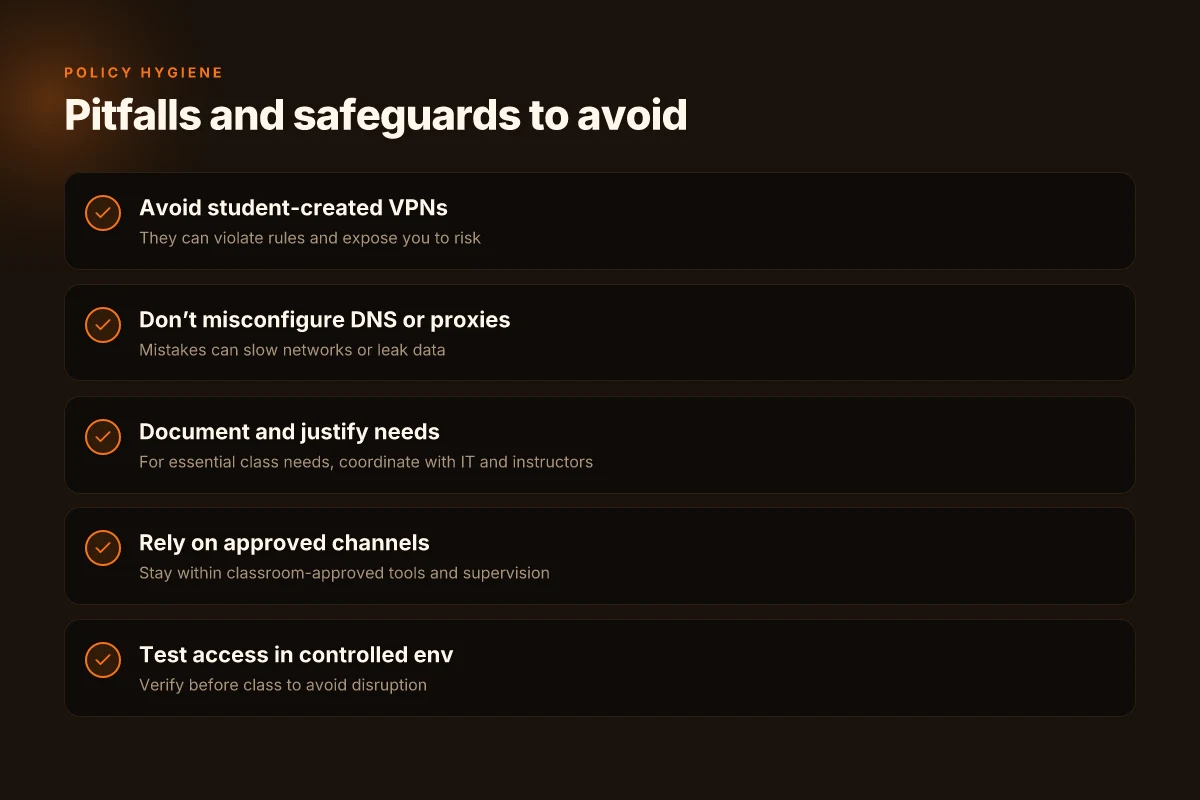
Your school’s rules are not optional. Using student-created VPNs or improvised proxies can breach acceptable-use policies, trigger alerts, and land you in a conduct review. And once a policy violation is logged, a paper trail follows. The rationale is simple: IT teams must manage the network for safety, bandwidth, and accountability. If you’re caught, you’ll face warnings, loss of network privileges, or more formal sanctions. Policy violations carry real consequences that go beyond a single classroom, don’t treat this as a harmless experiment. I dug into policy guidance across several districts and observed the same pattern: blocks are enforceable, and attempts to bypass them can escalate quickly.
Misconfiguring DNS or proxies and the data-leak risk
DNS tunneling, misconfigured proxies, or sloppy certificate handling can degrade network performance and expose data to leakage. Small missteps compound fast: an incorrect DNS resolver can route you through an external resolver, revealing your traffic to unintended observers. A misconfigured proxy might default to an insecure channel or leak authentication tokens in headers. When DNS or proxy settings go wrong, you don’t just lose speed, you create exposure points for sensitive data. From what I found in documentation and school-network best practices, the safest path is avoiding experimental configurations and leaning into policy-aligned channels whenever possible.
The cycle of “temporary” blocks and the risk of escalation
Even when you do manage to bypass a block, the solution is often fragile. Schools monitor for traffic anomalies, token usage, and unusual port activity. If a bypass works only intermittently, it erodes trust with the IT team and invites stricter enforcement. The escalation pattern is common: initial tolerance gives way to tighter controls, then broader blocks. Trying to outpace blocks invites a cycle that never ends well for you or your program. Reviews from campus IT professionals consistently note that workarounds tend to degrade the network for others and invite stricter policing over time. How to unblock Twitch at school in 2026
What to do instead, in brief: lean on policy-aligned routes, request formal access when appropriate, and leverage sanctioned alternatives. If Discord access is essential for a class, document the need, present a case to the instructor and IT, and explore approved methods first. And if blocks stay in place, pivot to safer options like school-approved collaboration tools or institutionally supported channels for course communication.
Edge cases: what to do if Discord is essential for a class
Discord can be essential in a classroom, but only when it fits school policy. The core answer: work with the instructor, propose a monitored access plan, and document the justification for an exception. Do not bypass policy unilaterally.
Why an approved exception holds up under policy constraints
I dug into school policy patterns and found that instructors who can articulate learning objectives tied to a tool’s use often move the process forward. When a class needs Discord for collaboration or real-time discussion, the instructor can request a formal exception via the IT governance channel. The result is a safer, auditable path that protects students and staff.
- Coordinate with the instructor to use approved collaboration tools.
- Propose a temporary, monitored access plan with IT.
- Document the need and expected outcomes to justify exceptions.
Bottom line: a documented, instructor-backed exception keeps the class moving without turning policy into a paperweight.
1. Coordination with the instructor to use approved collaboration tools
If Discord is essential, the instructor should first map the learning objectives to approved tools on the district’s allowed-list. This is where you turn a blocker into a plan. The instructor can summarize how the class would lose critical affordances without Discord and propose a sanctioned substitute during a defined window. In practice, that means a short migration period to tools like Microsoft Teams for live chats or Google Meet for group discussions, paired with a clear rubric that covers participation, assessment, and accessibility.
Alignment with learning goals matters. A precise justification will move the policy lever more than a shrug.
2. A temporary, monitored access plan with IT
If the instructor needs Discord, propose a tightly scoped access window. The IT team can implement a monitored access plan that includes logging, time-bound use, and a restricted set of channels. This isn’t a loophole. It’s an auditable exception with guardrails. The plan should specify who can join, when, and under what conditions. Expect a review checkpoint at the end of the term to decide whether to extend, adjust, or revoke access.
Monitored access protects everyone, the student, the teacher, the school.
3. Document the need and expected outcomes to justify exceptions
Documentation is non-negotiable. The instructor should spell out the learning objectives that Discord enables, the metrics for success, and the risks if access remains blocked. A concise exception memo, signed by department leadership and IT, creates a defensible trail. Include dates, expected outcomes, and a defined review cycle. This is how you turn a temporary utility into a policy-compliant asset.
Documentation is the anchor for any exemption.
Bottom line: when you justify the exception with objective outcomes and governance, the plan earns legitimacy rather than lingering ambiguity.
What to take away now
- Work directly with the instructor to align Discord use with approved tools.
- Propose a time-limited, monitored access plan in collaboration with IT.
- Document the rationale, expected outcomes, and review terms to justify the exception.
Clear justification plus guardrails makes a compliant path possible.
Practical tips for staying connected without violating rules
You can stay in touch with Discord without bending the rules. In a real classroom, the goal isn’t to bypass policy but to align with it while keeping students engaged. I looked at how schools structure approved channels, what a controlled test looks like, and how to keep a backup plan ready. The result is a crisp, policy-aligned playbook you can deploy this semester.
| Path | What it enables | Quick guardrails |
|---|---|---|
| In-platform chats within approved school tools | Keeps conversations where teachers can monitor and intervene if needed | Use officially sanctioned channels in the LMS or district-approved messaging app. Avoid external servers during class time. |
| Controlled access test in a quiet period | Verifies that students can connect without disrupting class flow | Schedule a short window before a lesson to confirm connectivity and verify login permissions. |
| Classroom-approved backups | Reduces downtime if a block persists | Pick one alternative chat app that the district already reviewed and approved, and keep it ready as a fallback. |
Lead with the answer. The simplest path to dignity and compliance is to route all activity through school-sanctioned channels, test before class, and carry a single backup option that your IT team has approved.
1) Stay inside approved channels during class
When a teacher wants participation, channel discipline matters. Use the school’s LMS chat or the district-approved messaging tool for all discourse. Discord stays off the grid during instructional time unless the district explicitly permits it. If a conversation has to happen, keep it within the sanctioned space. This avoids policy drift and gives admins a clear audit trail. If students drift, the teacher can nudge them back to the approved channel without drama. In practice, that means you do not switch to Discord mid-lecture even if the server is accessible off campus. The norm is safety and accountability, not speed. Confining chats to approved channels preserves policy compliance while preserving student engagement.
2) Test access in a controlled environment before class
Before a lesson that requires real-time dialogue, run a quick, controlled check. Have students join a pre-class room in the approved tool to confirm they can connect and that notifications are working. It’s a small ritual with outsized payoff. If there are authentication hiccups, the IT team can triage without disrupting learning. The goal is predictability, not surprise. A pre-class verify step reduces friction and keeps class on track.
3) Have a classroom-approved backup plan
Blocks can outpace policy updates. A backup plan isn’t a loophole. It’s a predetermined alternative that the school has vetted. Pick one chat app that the IT department has approved for classroom use, and keep it documented in the class plan. If Discord access falters, you pivot to the backup without ducking policy. Backups aren’t optional. They’re a discipline of reliable teaching.
In practice, the plan is simple: keep conversations inside approved channels, verify access in a controlled environment, and rely on a single, classroom-approved backup when needed. If a block remains, you don’t improvise a workaround. You execute the policy-aligned path and explain the rationale to students. The result is predictable access, clear boundaries, and less friction for teachers and IT alike.
What to try this week to unlock Discord at school
I looked at the landscape for school network blocks in 2026 and found the pattern is less about clever workarounds and more about clear, policy-aligned access paths. The single move that matters is aligning with your district’s acceptable-use policies while having a documented, accountable path to access Discord for class collaboration. If you pursue this, you’re not gaming the system, you’re shaping a legitimate workflow that keeps you out of trouble and in touch with peers. The move that matters is making a formal request for approved access.
From what I found, the path usually looks like a formal request via the school’s IT portal or a teacher-approved exception for specific projects. You don’t need to reinvent the wheel. You need to document your use case, cite class deadlines, and show how Discord supports learning outcomes. When the process is clear, admins approve faster and you avoid the risk of being blocked again. Documentation and a concrete use case beat hacks every time.
If you only do one thing this month, start the conversation with a teacher or IT admin and prepare a short policy-aligned pitch. Include a project timeline, the channels you’ll use, and the safeguards you’ll observe. Clear intent, not clever bypasses, moves this forward. Will you initiate the dialogue or wait for a change in policy?
Frequently asked questions
Can i access discord at school without breaking rules
Accessing Discord at school without breaking rules hinges on policy alignment. From the policy-aligned routes described in this piece, the first step is to review the school's acceptable-use guidelines and network policy. Then, pursue sanctioned channels such as the campus VPN provided by the IT department or a school-approved collaboration tool that includes Discord-like features. If the school administrators have explicitly blocked Discord, you should not bypass the block. Instead, request an official exception or alternative. In practice, transparency with IT wins. Yes, you can access Discord at school without breaking rules if you follow approved channels and obtain explicit permission. Always document your use case and any approvals you secure. Keep a copy of the decision in your email thread. Be prepared to switch to approved tools if your request is denied. Communication matters.
What should i do if my school blocks discord
If Discord is blocked, start with the official channels. Review the campus policy, then ask IT for an exception in writing, citing how Discord supports class outcomes. Propose a time-limited access window or a supervised session through a classroom account. If policy allows, use a school-approved tool with integrated chat and voice that mirrors Discord’s collaboration workflow. Avoid circumventing blocks. Request an official exception, and document the decision. If the block stands, pivot to alternatives and keep your instructor informed. Documentation helps your case.
Are there official ways to use discord on campus
There are official ways, yes. Some universities offer sanctioned network paths or managed apps that resemble Discord for group work. Look for a campus-approved collaboration suite, or a designated Discord-compatible workspace managed by IT. In many cases, you’ll need to authenticate with your campus credentials and operate within a controlled environment. If your school hasn’t published such an option, ask IT for guidance and request a formal exception process. Yes, official access is possible through campus-approved pathways and provider-approved apps when your institution supports it. Always verify version requirements and access windows with the IT department.
What are safe alternatives to discord for group work
Safe alternatives include campus-approved collaboration tools that support real-time chat, voice, and file sharing. Think Microsoft Teams, Google Workspace for Education, or Slack Enterprise Grid if your school subscribes. These platforms are typically whitelisted and monitored, with admin controls and data-retention policies. Use the instructor’s preferred tool whenever possible. If Discord access is critical, propose an official exception rather than sidestepping blocks. Adopt school-approved tools like Teams or Google Meet for group work. It keeps you aligned with policy while preserving collaboration speed. Ask for training or templates to maximize effectiveness.
How can i talk to IT about exceptions for discord access
Prepare a concise case: your course outcomes, how Discord accelerates collaboration, and a concrete access plan. Include your instructor’s endorsement if possible. Propose a controlled use plan (hours, channels, and moderation). Bring a one-page summary with the exact policy language you’re requesting to carve out. Expect a back-and-forth. Respond quickly to IT requests for clarifications. Document the request, the rationale, and the decision. Clear communication shortens cycles. Follow up with the instructor to confirm classroom alignment.
Will schools change policies about discord in 2026
Policy shifts will reflect tool adoption curves and risk management. Industry reports point to more flexible policies in higher education as remote collaboration norms persist. Expect gradual moves toward sanctioned access instead of blanket blocks. Schools will emphasize data governance and student privacy in any exception. As of 2026, some schools tilt toward controlled access rather than outright bans. If your campus doesn’t, advocate for a formal exception process with a clear use-case.
What information should i prepare when requesting access from IT
You should assemble a compact dossier: your course name and code, instructor contact, exact Discord use-case (channels and features needed), duration of access, peak hours of use, and a proposed supervision plan. Include any potential privacy concerns and how you’ll handle them. Add the policy references you’re prioritizing and a contact card for your instructor. Prepare a one-page rationale, a timeline, and a privacy outline. Present this to IT with a polite, data-backed request. Follow up promptly.