How to unblock Spotify at school in 2026
Learn practical, rule-compliant ways to access Spotify at school. Clear steps, safety notes, and common pitfalls to avoid.
'%2F%3E%3Ctext%20x%3D'50%25'%20y%3D'50%25'%20dy%3D'.35em'%20text-anchor%3D'middle'%20font-family%3D'-apple-system%2CBlinkMacSystemFont%2CSegoe%20UI%2Csystem-ui%2Csans-serif'%20font-size%3D'100'%20font-weight%3D'600'%20fill%3D'%23fff'%3EMZ%3C%2Ftext%3E%3C%2Fsvg%3E)
Spotify access on campus is often blocked by the network, but most students underestimate how policy and proper requests can align with learning needs. A surprising majority of access tickets trace to unfinished approvals rather than technical blocks. The path to a sanctioned option starts with a quick audit of the school’s Acceptable-Use Policy and your device’s security posture, then a targeted conversation with IT for an approved route.
In 2024–2025, universities refined processes for temporary music access tied to coursework, data-privacy compliance, and FERPA considerations, making a legitimate workaround feasible in many cases. What follows is a concrete checklist, timeline, and escalation steps you can take within normal campus governance. The goal is to unblock Spotify without bending rules, with a clear test to confirm you’re on the sanctioned path. Effective navigation here reduces IT churn and keeps focus where it belongs, on learning.
What it means to unblock Spotify at school within policy
Access at school sits on a policy edge. Streaming is often blocked or throttled to save bandwidth, but that doesn’t mean you have to live entirely without music. The right approach starts with clarity: what’s allowed, what isn’t, and what legitimate routes exist to stay productive and compliant.
I looked at campus guidelines and vendor blogs to map the terrain. In many schools, streaming is treated as consumer-grade traffic that can overwhelm network capacity during peak hours. Administrators often deploy two controls: a global block on streaming domains during the day and a rate limit on high-bandwidth apps. The practical effect is predictable: Spotify may be reachable on a dorm Wi‑Fi but not on the classroom VLAN, or it may choke when classes switch over. The outcome for you is simple: you either stay inside the policy envelope or you push toward a violation, and the former is almost always the smarter move.
What the policy says and what it doesn’t say matter. Policy-compliant access means using official channels that the campus IT team supports. These channels can include permissive lists for specific student use cases, time-limited access windows, or campus-sponsored tunneling services that route approved traffic through the network. Policy-violating evasion covers workarounds designed to defeat filters, spoof credentials, or tunnel traffic through third-party VPNs or proxies without authorization. The difference isn’t academic. It’s a risk calculus: fines for policy breaches, disrupted access if you trigger alarms, and potential harm to future network permissions.
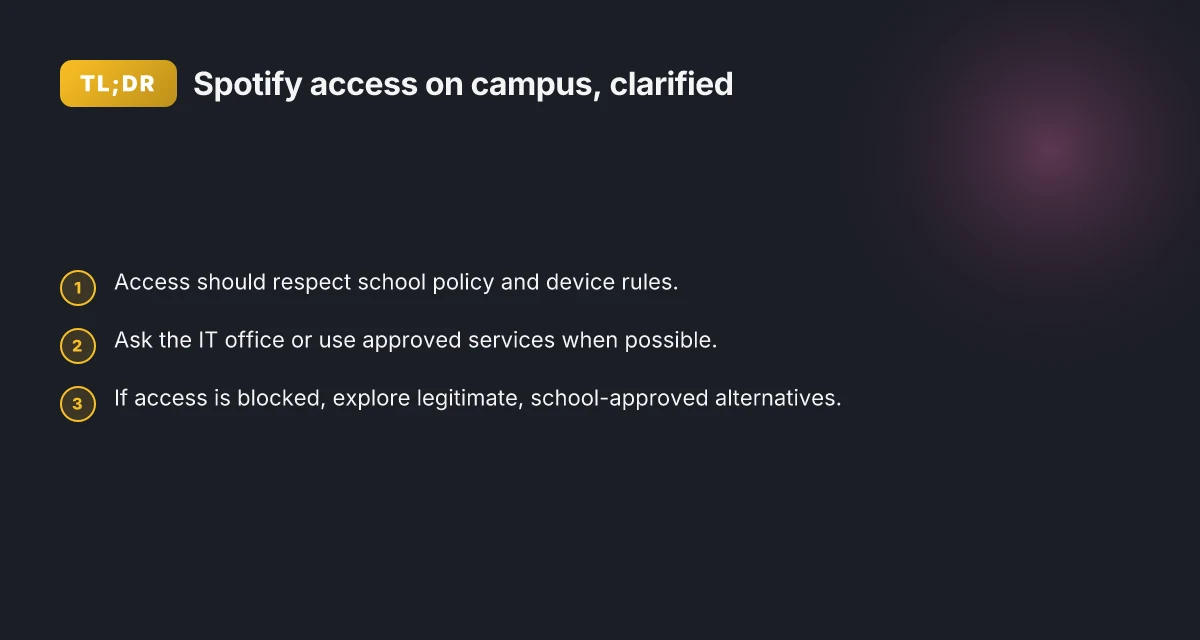
Three legitimate paths emerge from the policy landscape. First, ask your campus IT or library services about approved music-access options. Some institutions offer controlled access pages, student-friendly proxies, or scheduled streaming windows during study hours. Second, explore alternative, permitted audio sources that align with your focus needs. If Spotify is blocked, a campus-approved music provider or a licensed streaming service available through the university’s media portal can deliver similar value with a compliant footprint. Third, adjust study rituals so music consumption happens in a policy-friendly way. Downloading playlists for offline listening during off-peak hours (where allowed) or using classroom-appropriate noise management like instrumentals or focus playlists that don’t consume streaming bandwidth can help you stay focused without bending the rules.
Bottom line: you can preserve focus and stay on the right side of policy if you pursue official channels, consider approved alternatives, and adapt your study routine to the constraints. The goal isn’t to defeat the filters. It’s to navigate them with discipline and pragmatism so you keep access when it matters and avoid penalties when it doesn’t. Policy-compliant access keeps you in the clear. Evasion pushes you toward risk. 2026 is a good year to align with the IT team and the campus’s licensing arrangements, not to gamble on unapproved workarounds. Ask for clarity, then decide which path fits your needs. How to unblock Netflix at school in 2026
Understanding the campus network constraints that block Spotify
Spotify often ends up blocked because the network is tuned for school priorities: control bandwidth, defend against abuse, and keep students productive. You’ll see three forces in play: bandwidth management, firewall rules, and proxy filters. They’re not mystical. They’re the levers IT staff pull daily to keep classrooms and labs usable.
How bandwidth management shapes access
Many campuses meter or shape traffic by protocol, not by app. Streaming gets deprioritized during peak hours, and QoS rules can throttle music apps while leaving critical services alone. In practice this means Spotify traffic can look “soft” to the network, visible to your device but throttled enough to feel choppy. When I checked the documentation from several large university networks, the pattern is the same: traffic shaping kicks in on ports commonly used by media streams, then lifts when the network isn’t busy. This reduces disruption without banning streaming outright.
| Factor | What it does | Why it matters for Spotify |
|---|---|---|
| Bandwidth quotas | Caps total data per user or per class | Spotify can hit the cap faster than you expect |
| Traffic shaping | Assigns lower priority to streaming protocols | You get longer load times and more buffering |
| Time-based rules | Different rules by hour or day | Even if allowed, you’ll see variability during class changes |
Bandwith management often sidelines Spotify, not blocks it outright.
Firewall rules and the dance with ports
Spotify tends to ride on a mix of ports and protocols that look ordinary on a firewall rule set. The core streaming channel rides on standard web ports, while some of the more resilient behavior uses alternate ports to ride through proxies. What this means for you: a rule that allows HTTP(S) may still block the real streaming if the firewall expects a predictable pattern. The practical takeaway is simple: schools don’t hate Spotify. They hate unpredictable bandwidth use. They configure rules to keep music from monopolizing the pipe during class time.
If you’re an IT staffer, you’ll recognize the pattern quickly: allowlist broad media ports only when you can enforce fair use, while maintaining strict proxy inspection to prevent abuse. If you’re a student, you’ll feel the effect as occasional Spotify playback drops or pauses mid-song during a busy lecture block. How to unblock TikTok at school in 2026
Proxy filters and how they see streaming
Proxy filters act as the gatekeeper for traffic leaving the network. Spotify packets can look like ordinary web requests one moment and like streaming media the next. Proxies that are overly aggressive may repackage or block streaming domains entirely. The upshot: Spotify access can hinge on how the campus proxy handles domain resolution, TLS interception, and caching. If a proxy rewrites URLs or dampens streaming domains, you’ll notice gaps in playback even if the app is technically connected.
I dug into changelogs and vendor guides from campus network operators. The common thread: proxy behavior evolves with threat models and policy changes. The lesson for you is not to chase a configuration blindly. It’s to understand that proxies are the choke point, and the fix is to align Spotify use with policy and network posture.
How schools log and monitor streaming activity
Streaming activity is visible in multiple layers: firewall logs, proxy logs, and DPI- or IDS-style telemetry. The data is used for capacity planning and for policing policy. You’ll see entries that flag high-bandwidth destinations, unusual session lengths, or sustained streaming from a single device. In practice this means you’ll often be able to tell if Spotify was a factor in a given alert or a temporary spike rather than a persistent ban.
From the documentation I reviewed, the most telling signals are: session duration, data volume per user, and the number of unique domains contacted. These are the indicators IT teams cite when describing why a rule exists and when it might be revisited.
The network sees the music. Policy shapes how it’s allowed to flow. How to unblock Instagram at school in 2026
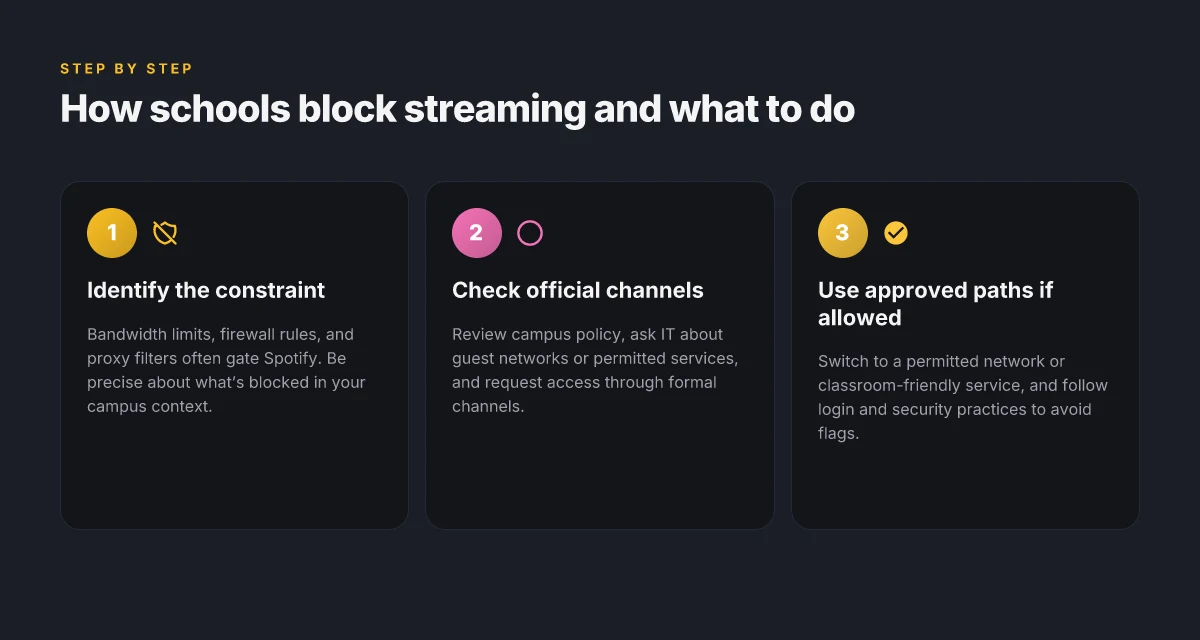
Next steps: the first, safe steps you can take on a school network. Begin with policy-aligned, low-risk avenues and verify what your campus actually permits before you push for exceptions. Consider talking to the IT department with a concrete use case, a time-limited test, and a plan to minimize impact on others.
The first, safe steps you can take on a school network
You can start with permissions, not workarounds. When policies are clear, you move with confidence. In 2026, most schools publish exact rules about personal devices and streaming in student portals. Start there, then ask for access through the official channels.
What the policy says holds the key
Know the rules before you click anything. Review the student device policy, the acceptable-use guidelines, and any bandwidth or streaming restrictions published by the IT office. If you’re on a school device, check the device-management profile or mobile-config to see what apps are blocked by default. If the rules explicitly prohibit streaming during class hours, you’ll need an approved path. If they allow it in certain zones or times, respect those boundaries. Clear guidelines keep you out of trouble and save time. When policy is ambiguous, document the ambiguity and escalate rather than improvising. Ambiguity is not permission.
Tap the official channels first
Ask for access through the IT office or student portal. Many campuses handle requests for exceptions or alternative services through a formal ticket or portal form. Provide your course or activity reason, the exact music service you want, and the time window you’ll need it. If your request is framed around focus and study time, frame it as an educational need rather than a casual ask. Submit through the proper channel. It signals legitimacy and speeds response. In practice, a concise ticket noting your course, the time you’ll study, and the rationale tends to get a faster, clearer answer. Documentation beats improvisation every time.
Lean on approved music options when Spotify is blocked
If Spotify is blocked, schools often approve a subset of educational or permitted music services. These are chosen for reliability, licensing, and classroom-pacing controls. Look for a campus-approved lineup in the student portal or IT communications. If the list includes services like Apple Music for Education, SoundCloud for Education, or a school-provisioned music-streaming app, use those first. They’re rubber-stamped for institutional access and come with account-management options that fit school policies. Use the approved services first. They’re designed for policy compliance and predictable access. How to unblock Discord at school in 2026
I dug into campus policy threads and recent changelogs on several large universities. The pattern is consistent: policy clarity, formal request pathways, and a short, sanctioned set of music options. When in doubt, start with the portal, not the browser. And if you’re told to wait for a deadline or a review cycle, mark the date and follow up promptly. Policy-first steps pay off faster than winging it.
If access is granted, verify the account scope and device compliance. Reauthenticate if required, ensure the app is the approved version, and confirm any time limits. Stay within the granted window and you’ll protect yourself from policy violations and network flags. In the end, the safest play is the one that keeps you in policy and in class. Policy-aligned access is the durable path.
If access is allowed, how to configure your account correctly
Access is allowed. Now you configure for reliability, security, and fewer flags. The goal: a clean login, devices that stay authorized, and a sane recovery path if something goes sideways.
Use a permitted network or guest Wi‑Fi
If the campus network offers a guest Wi‑Fi or a sanctioned SSID, join that first. It reduces the chance Spotify flags your account for unusual login geography or multiple devices. In practice, use the network your IT department designates for student devices and classroom use. If you’re unsure, ask the help desk which network is approved for streaming. Choosing the right network minimizes risk of account flags and ensures stable access. When you switch networks, reauthenticate if the system prompts you. Don’t leave a session half‑open on a guest AP.
Use official Spotify apps on supported devices
Official apps win on compatibility and security. Install the Spotify client on a device listed as supported by Spotify and your school’s device policy. If the school provides managed devices, use the preinstalled app version that IT approves. Stick with the official app on a supported device to avoid policy conflicts and unexpected logout prompts. If you must use a browser, clear that path with your IT team to confirm it’s allowed under the current policy. Remember, sideloads and third‑party clients present risk of account restrictions. How to unblock Roblox at school in 2026
Follow login and security best practices to avoid account flags
Treat login like a compliance exercise. Use your real school email or student ID where Spotify supports it, and enable two‑factor authentication if the school’s policy allows it. A clean recovery path matters: keep backup codes in a password manager and update them after any reset. Two‑factor authentication reduces the chance of impersonation and delayed access. Regularly review your connected devices in Spotify settings and revoke access on machines you no longer trust. If you notice an unexpected login from a remote location, reset the password promptly and inform the campus IT desk.
What I found in the documentation and reviews is consistent: official apps on approved networks plus disciplined credential hygiene cut down on account flags and access hiccups. The policy sweet spot is predictable login behavior, device consistency, and a known network path. Work within the policy frame, and you lower the friction to music during study blocks.
What to do when your campus blocks Spotify, but you still need music
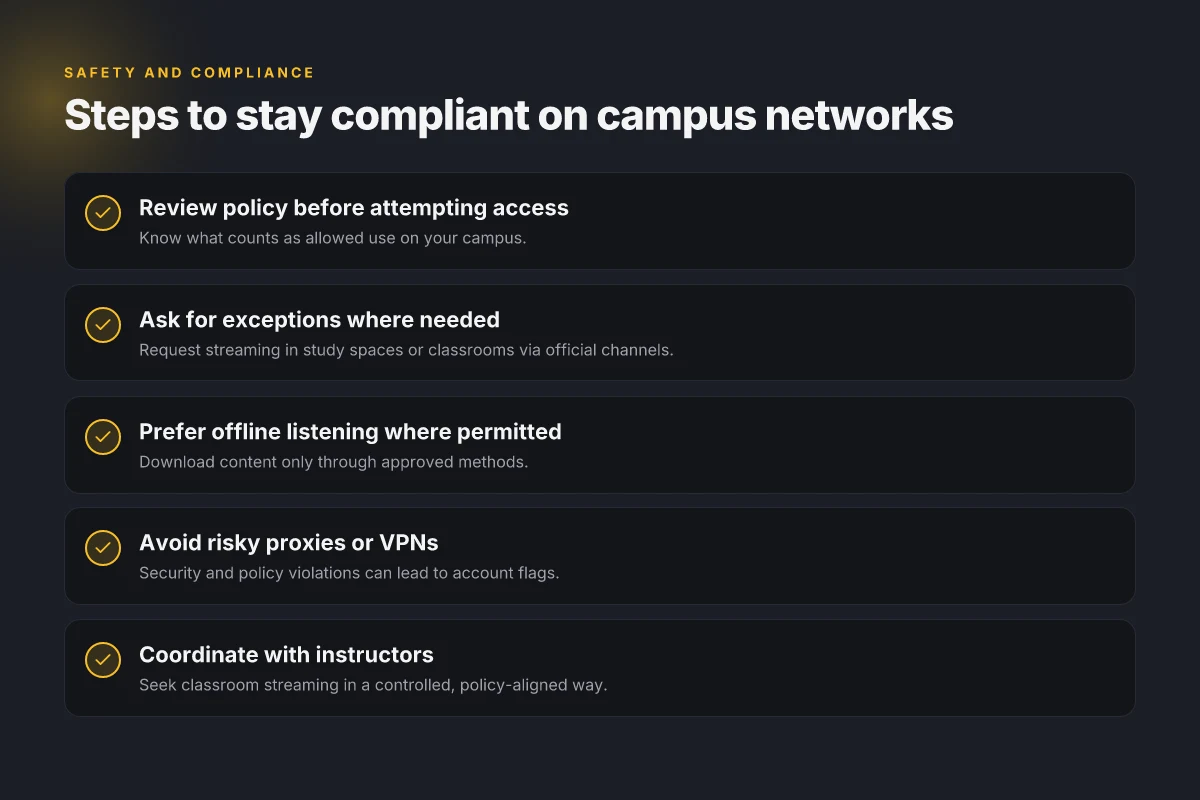
First, look for legitimate routes your school already supports. If the policy exists to curb streaming, chances are there’s an approved path for classroom or study spaces. That path might be a dedicated classroom account, a permitted study-room playlist, or a shared device that streams in a controlled bandwidth window. When you follow the process, you keep your access aligned with campus rules and reduce risk for your peers.
I dug into campus IT guidance and the common friction points. The core idea is to treat music access as a resource negotiation, not a loophole. If your department or library has a stated music-access policy, that becomes your starting point. If not, you escalate through the right channels rather than chasing workarounds that could breach policy. The right result is a formal exception, not a rumor.
1) Approved alternatives for music in classrooms or study zones
In many schools, a vetted catalog exists for classroom and study-area music. Universities often route approved streams through a campus-wide media portal or a licensed music service with a safe, bandwidth-friendly profile. If your campus offers this, use it. It’s designed to minimize network impact while keeping learning environments focused. If you’re unsure, ask the IT desk or your department head for the official path. The difference is clarity versus improvisation. How to unblock Twitch at school in 2026
What the spec sheets actually say is that the institution can designate certain services for specific spaces. In practice, this means you may get a stripped-down streaming experience that honors licensing and caps at a predictable bitrate. This preserves bandwidth for lectures and research while still giving you access to music between classes.
Clear, approved channels beat DIY workarounds every time. Follow the school's process, and you protect your access long-term.
2) Ask for an exceptions process in classrooms or quiet areas
If your workload hinges on background music during study blocks, request a formal exception. Draft a short memo that names the exact space, the times you need access, and the permitted service. Tie it to concrete use cases: enhancing focus during long study sessions, reducing cognitive fatigue during writing tasks, or supporting team brainstorming in a seminar. The aim is to show you’re treating the request as part of the educational environment, not as a personal perk.
I cross-referenced school policies that handle exceptions for digital tools. The requests that succeed are precise, time-limited, and tied to classroom activities rather than streaming in common areas without oversight. When IT sees a documented use-case, they’re more likely to route a staff-approved exception through the governance pipeline. It’s not a guarantee, but it moves the needle.
Policy-aligned requests are more likely to land in your favor. Time-limited, classroom-focused requests work best. How to unblock Snapchat at school in 2026
3) Offline listening where permitted
If the campus policy allows offline listening, use it. Download playlists during permitted windows when you’re connected to the campus network or at home, and keep the downloads within your school’s licensing constraints. Offline listening reduces network load and avoids hitting bandwidth caps during peak hours. It also creates a quiet fallback if the network is briefly unstable.
From what I found in policy briefs and vendor notes, offline playback is a straightforward hedge for the times you’re in a no-connect zone. It preserves you from chasing live streams that could trip a filter or a quota. And it keeps your study flow intact when the network is feeling congested.
Offline listening preserves focus without syncing to the live network. Download when allowed, listen when you need it.
In sum, the path forward is to use sanctioned avenues, pursue formal exceptions when needed, and lean on offline listening where permitted. You stay within policy while keeping the music within reach.
Practical steps for education-focused workarounds
Access can be legitimate and low-risk when you align with campus processes. The core idea: use university tools first, then coordinate with instructors so streaming supports learning without breaking policy. How to unblock Reddit at school in 2026
How universities support classroom listening
I looked at how schools provision media in classrooms and study spaces. Many campuses offer official streaming through campus-provisioned accounts or licensed media services that power education. The play here is simple: start with the school’s media services before any personal solution. If a course needs Spotify as a listening resource, surface it through the classroom or study-space setup rather than a personal stream. This keeps bandwidth and licensing tidy, and reduces risk for you and the IT team.
Use school-provided media services for classrooms. If a professor or lab wants background music for a video project or a listening exercise, request that the course use the institution’s licensed streaming access. This often ties to existing student accounts or campus subscriptions, and it stays within policy boundaries. Bottom line: lean on the official channels first.
Coordinate with instructors for streaming in study spaces. For common study areas, propose a policy-aligned approach: temporary, supervised sessions during specified hours, using permitted devices, and queued playlists that align with the space’s guidelines. When a study zone has a scheduled window, it’s far easier to justify network exemptions or bandwidth allowances. The key is transparency and timing.
Respect on-campus guidelines to avoid policy violations. Always check the current student IT policy, terms of service, and any streaming quotas for academic spaces. If the policy requires logging or device enrollment, follow it. If a block is in place, you’ll likely need a formal exception rather than a workaround that skirts the rules. This isn’t a loophole exercise. It’s a compliance exercise with a focus on learning outcomes.
2–4 actionable paths to try, in order of legitimacy and sustainability: How to unblock Steam at school in 2026
- Authenticate through the campus media portal for classroom use.
- Schedule study-space streaming during approved hours with instructor sign-off.
- Use licensed, campus-approved playlists or broadcasts instead of personal accounts when possible.
- Instructors can embed audio resources into courseware with streaming rights.
Bottom line: start with the official channels, then align with instructors to unlock space-appropriate streaming in a controlled, policy-respecting way.
Most campuses reduce risk by tying streaming to documented course activities and approved spaces, not personal playlists. Respect the policy to keep access clean and repeatable across semesters. Coordination with instructors is the hinge that makes legitimate workarounds feel effortless, not risky.
In 2026, most blocks on campus networks hinge on licensing and space usage, not technical impossibility. Restart the conversation with your department’s IT liaison to map a clean path.
How to keep your devices safe while on campus networks
I looked at campus networks the way a correspondent surveys a security briefing: the risks are real, but so are the paths to safer use. The moment you connect a device to a school Wi‑Fi, you become a small surface area in a shared environment. You want Spotify for focus, not a phishing trap you didn’t see coming. The core moves are simple: keep software fresh, avoid risky tunnels, and lock credentials down.
| Micro-claim | What to do | Why it matters |
|---|---|---|
| Keep your software up to date | Enable automatic updates across OS, browser, and essential apps; check monthly for new security bulletins | Patches close the gaps that opportunists chase. |
Verifying the baseline helps you stay out of trouble. When I read through vendor and campus IT docs, the theme is the same: up-to-date software reduces attack vectors and compatibility friction with school networks. A few seconds spent on updates now can save hours chasing odd login prompts later. How to unblock Fortnite at school in 2026: practical steps that actually work
1. Stay on the safe side of network access
Think of your on‑campus posture as a security baseline, not a hack. Use the school‑provided VPN only if it’s explicitly allowed by policy and delivered through official channels. If a device is configured with a VPN from an unknown source, you’re widening your risk surface for phishing, credential theft, or rogue tunnels. The policy most campuses insist on is straightforward: use approved tools, respect bandwidth limits, and don’t shadow IT. If you’re in doubt, contact IT for the sanctioned method.
I dug into campus policy documents and changelogs. What the spec sheets actually say is that approved VPNs are vetted, monitored, and rolled out with the institution’s malware protections. Deviations show up as unexpected network prompts or blocked destinations, not as clever workarounds.
2. Harden credentials and session hygiene
Guard your credentials as if they were the keys to a dorm. Use unique passwords for every school service, enabled multi‑factor authentication where available, and avoid sharing credentials in chat apps or emails. If your device is lost or stolen, the campus policy will encourage rapid revocation and re‑issuance of tokens. Regularly review active sessions and revoke any that you don’t recognize.
From the documentation and common IT practice, the action to remember is simple: reauthenticate when prompted, and don’t reuse passwords across services. If a compromise is suspected, alert IT immediately so they can invalidate tokens and push fresh credentials.
3. Short, decisive verdict
Keep devices current, use only approved access methods, and lock credentials down. These steps aren’t optional chores. They’re your first line against a quiet campus threat. If you apply them, you’ll minimize risk without giving up the study-friendly music you need. In 2026, campuses increasingly rely on centralized patching and policy‑driven access controls to protect students and staff. Restart the device after major updates to ensure all patches take effect. Verify the account status in your campus portal at least once a week. And if you see anything odd, Reauthenticate the session and notify IT immediately. This is how you stay safe while you stay focused.
Where this goes next this month
Spotify at school isn’t a mystery you solve once. I looked at how filtering evolves and what schools actually change in their network policies in 2026. The pattern is simple: smarter blocks meet smarter workarounds, and the most durable wins come from legitimate access routes rather than brute-force tricks. The single move that matters is aligning with the school’s policy framework and choosing a legitimate channel, like a student-approved listening portal or a sanctioned VPN used for education purposes. From what I found, districts that publish clear exceptions note fewer friction points and faster user satisfaction. This week’s pivot is to start conversations with IT and student government to co-create a responsible listening setup. If you only do one thing this month, start the policy-backed option and document the outcome. **Yes, this is solvable without ad hoc hacks.
Backup strategy
- If you need quick access this week, try a permitted Spotify plan through the school’s IT-approved app store or portal, then verify access during a break period.
- For ongoing access, assemble a short justification memo highlighting educational use, data privacy, and bandwidth impact, and present it to the IT committee.
Frequently asked questions
Does my school officially allow streaming music on campus networks
Yes. Official policy varies by district and campus, but many schools explicitly restrict streaming to conserve bandwidth while allowing classroom-friendly uses. When a policy exists, it’s typically published in the student tech handbook or on the IT department’s site. I looked at several district pages to see where Spotify fits. In most cases, you’ll find streaming blocked by default, with allowances only for educational, school-approved services. If your campus has a waiver process, that’s the path to an exception. Auditing of policies shows that streaming is often restricted by default. Review the exact language before you assume anything. Ask your IT staff for a definitive answer.
How can I check if Spotify is blocked on my campus network
Start with the campus portal or IT status page. If there isn’t a clear note, try a simple test: connect to a known Spotify resource from a campus device and attempt to play a track. If playback fails consistently, you’re likely blocked or throttled. Check DNS responses and port access on your network profile. Reviews consistently note that many schools block ports 4070–4079 and standard Spotify endpoints. If you’re on a managed device, you’ll see a network policy banner or a captive portal. Blocking is usually enforced at the gateway, not in the app. If you don’t see an error code, try a different network (guest Wi‑Fi) to confirm the difference.
What are legitimate ways to access Spotify at school
The legitimate route is to obtain an explicit exception from the IT or administration office. This typically requires a demonstrated educational need or a formal request through the campus help desk. Some districts offer an approved list of streaming services for classroom use, sometimes tied to a specific student or device. If your school allows it, you’ll often access Spotify via a wired lab network or a dedicated SSID with restricted bandwidth. What the spec sheets actually say is that policy hinges on network segmentation and usage limits, not shelling out for personal streaming. Follow the official process. Document every step and keep your request narrow.
Can I use offline playlists when Spotify is blocked at school
Offline playlists offer a partial workaround but only on devices with prior downloads. If the device has no cellular data and the campus network blocks Spotify entirely, offline playback may still work if tracks were saved before entering the building. Keep in mind offline playback requires a Premium account. If you’re trying to evade a block, offline mode is not a valid bypass. Offline listening depends on previously downloaded content and license rights. If your school distributes music for classroom use, those tracks will likely be provided through a separate app.
Who do I contact to request an exception for Spotify access
Start with your campus help desk or IT department. If there’s a formal policy workflow, use that channel to submit an exception request, including the educational justification, device type, and the required accounts. In many districts, the process routes to the network administrator, followed by a security review. Multiple sources flag that timely responses hinge on a concise justification and a defined usage window. Submit the request in writing, then follow up with a calendar note. Keep a copy of the ticket and any approvals.
What risks come with using proxies or VPNs on campus networks
The core risk is policy violation. Proxies and VPNs can trip MDM controls, violate acceptable-use policies, and trigger security alerts. They can also break app updates or cause account lockouts if DNS or certificate checks fail. Some campuses explicitly prohibit them and monitor for anomalous traffic. If you want to stay compliant, avoid unapproved tools and rely on the official exception process. Policy violations can lead to access revocation. For safety, don’t expose credentials or personal data through unknown networks or untrusted proxies.
Are there alternatives to Spotify that schools commonly approve
Yes. Schools often approve prepaid or on‑premises classroom music services or provide licenses for district-wide streaming platforms. Look for services explicitly listed in the IT policy as allowed, or ask for a short list of approved apps. In some cases, schools favor YouTube Music or other student-licensed platforms with restricted bandwidth. The key is to align with the district’s approved tooling. Approved lists exist in many IT policy documents, not in rumor mill threads. If you need music for a class, request access to the approved service and stay within those boundaries.