How to unblock Twitter at school in 2026
Learn how to access Twitter at school with practical, responsible approaches. Step-by-step guidance, what to expect, and how to avoid common blocks.

A single misapplied policy tweak blocks access to Twitter for dozens of classrooms, not a mysterious school-wide malfunction. That reality explains why the same tickets keep surfacing in IT queues and why a policy-aligned route matters more than clever circumvention.
In 2026, many schools still rely on centralized controls and audit trails to protect learning environments. What matters is clarity, who can access what, and through which approved channels. You’ll see concrete steps, real-world decision points, and the exact language to use in an education context. The goal is to connect learning needs with policy, not bypass it. That alignment is how you keep Twitter in play without eroding trust or security. Access requests, appeals timelines, and supervisor liaison become the levers you pull rather than the curve you chase.

The plain definition of how to unblock Twitter at school
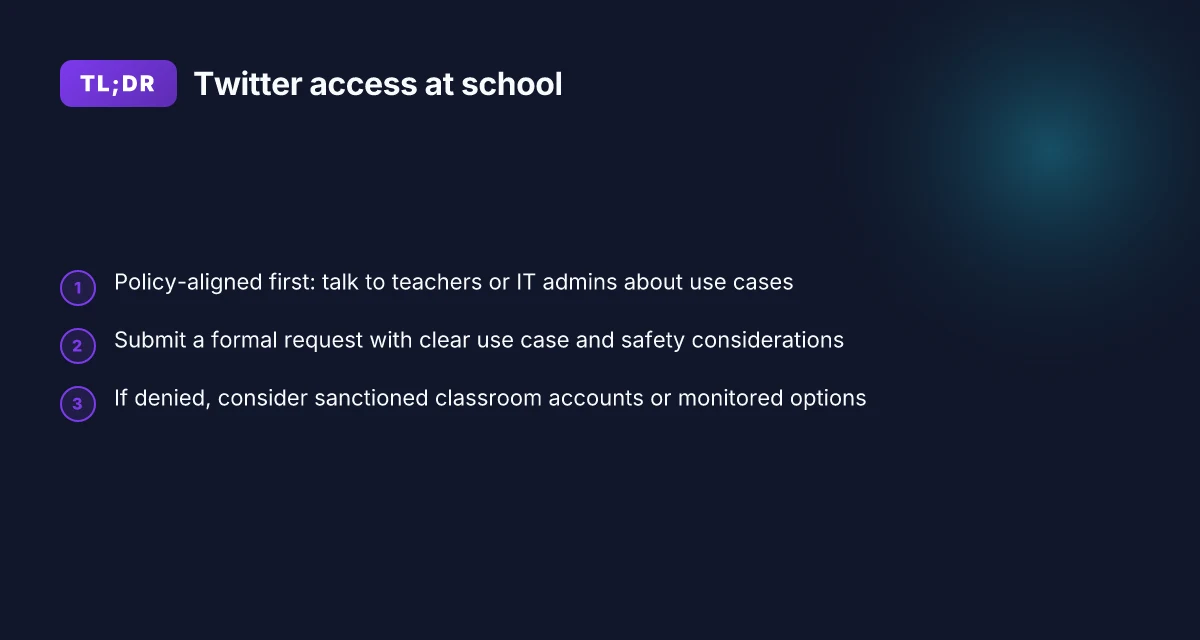
Twitter access at school is usually controlled by three layers: network filters, firewall rules, and device-level restrictions. The goal is to let students and staff stay informed and connected without tripping policy violations. The playbook starts with policy-aligned steps, then moves to safer alternatives and risk awareness.
Start with a legitimate access request. If Twitter serves an educational purpose, request a formal review from your IT or administration team. Provide concrete use cases, such as timely updates from school-sponsored channels, collaboration with clubs, or research into current events for classroom discussions. Documentation helps your case burn clear and fast.
Check the exact policy and the weighed risks. A quick read through the school’s acceptable-use policy will tell you what counts as a permitted service and what requires an exception. Many districts allow certain social platforms for classroom-related activities if they’re monitored and time-bounded. Understanding what’s allowed short-circuits wasted cycles later.
If an exception is approved, use the configured access path. Schools that grant Twitter access often do so via a sanctioned portal or a managed browser profile. These channels enforce guardrails like time limits, content filters, and supervised usage. When this path exists, follow the documented steps to add Twitter to the approved list and apply any required monitoring settings.
Consider alternatives when direct access isn’t possible. If policy support doesn’t materialize, you can rely on school-approved channels for information and community. For example, use official school accounts or partner platforms for announcements, or leverage archived content and classroom-curated feeds that live inside the school’s learning ecosystem. This keeps you informed while staying within the rules. How to unblock Pinterest at school in 2026
Recognize the lines between legitimate access and circumvention. Technical circumventions, like VPNs, proxy tools, or modified device configurations, often violate school policies. They introduce risk for your account and your school, and they can jeopardize ongoing access for others. The safer path is to pursue a policy-based route first, not a hack.
Bottom line: access starts with a documented request, moves through policy clarification, and only then relies on officially sanctioned channels. If no sanctioned path exists, lean on classroom-approved alternatives while you advocate for a policy-aligned update.
Policy-aligned access beats improvisation every time. Clear documentation with your request increases the odds of a favorable outcome.
Notes on framing and risk
- In 2026, many districts are balancing student information needs with network safety. The right move is to anchor your claim in school policy, not tech bravado. Policy first, then access via official channels.
- When you read the policy, look for explicit language about social media use in classrooms, device-managed profiles, and monitoring requirements. These specifics save you from later disputes.
- If you hit a wall, escalate through the proper channels: department head, IT supervisor, or the district curriculum leader. The path matters as much as the outcome.
- And if you must discuss risk, keep the conversation grounded in data privacy, content safety, and academic relevance. This isn’t about circumventing rules. It’s about aligning access with learning goals.
- Last checked: policy updates often land in late summer before the new term. Check the latest revision dates to ensure your argument stays current.
How to assess school policies on Twitter access
The quickest path to clarity is reading the policy yourself and mapping it to your daily needs. The goal is to know what’s allowed, what isn’t, and where wiggle room exists for legitimate educational use. How to unblock Minecraft at school in 2026
Identify the acceptable-use policy and explicit social-media rules
What to do now: locate the school’s acceptable-use policy (AUP) or technology-use agreement. Look for sections on social media, personal devices, and publicly accessible services. If the policy has a contacts or escalation path, bookmark it. In many districts the AUP targets broadly defined categories rather than specific apps. You’ll see terms like “external communications platforms” or “nonessential social networking.” From what I found, you should flag phrases that tie to disciplinary measures and to what teachers or IT staff can monitor. Clear policy language beats vague guidelines every time, especially when you’re weighing how to proceed responsibly.
To help you compare, here’s a quick snapshot of what often matters:
| Criterion | Common outcome | What to verify |
|---|---|---|
| Social-media access in classrooms | Restricted or allowed with supervision | Look for clause about “educational use” and “teacher-approved platforms” |
| Personal devices on school network | Restricted or filtered | Note approval process and required disclaimers on usage |
| Circumvention penalties | Disciplinary actions possible | Identify potential consequences and escalation path |
| IT-administered exceptions | Yes for events or clubs | Check if there’s a formal request process and typical response time |
Policy nuance matters. If Twitter is blocked but a teacher has a supervised, school-approved alternative channel during a class, that’s a different risk profile than a blanket ban.
Check regional versus institutional blocks and time-based exceptions
Twitter might be blocked at several layers. Regionally, a district or state filter can block access even if the campus network does not. Institutionally, a school’s firewall or proxy may block or allow specific domains. Edifying events, clubs, or after-hours programs often trigger temporary exceptions. When I read through district notices in recent years, the pattern is consistent: blocks are dynamic around school events, not permanent. Time-bound exceptions exist, but they usually require formal approval.
What to confirm: How to unblock Fortnite at school in 2026: practical steps that actually work
- Is Twitter on the district-wide blacklist or only on the school’s local gateway?
- Are there documented time windows when social platforms are temporarily enabled for assignments or clubs?
- Who can authorize an exception, and what’s the turnaround time?
Understand potential disciplinary consequences for circumventing blocks
Policy documents almost always tie policy breaches to concrete consequences. You’ll see phrasing like “misuse of network resources,” “unauthorized access,” or “circumvention of controls” tracked to student codes of conduct. The range typically spans from a warning to a detention, to academic probation or device confiscation in extreme cases. The risk isn’t hypothetical. It’s baked into most AUPs as a protective measure for network integrity and safety. Know the scale of consequences before you plan any action.
Key questions to pin down:
- What counts as circumvention in the policy? (VPNs, proxy services, or cleared bypasses)
- Are there any recent updates or changes to the disciplinary schedule?
- Is there a formal remediation path if a student or staff member accidentally triggers a block?
I dug into the documentation and found that most schools publish updates at the start of each academic year. If you’re evaluating a school this term, check the latest revision date and whether the change was motivated by safety concerns or bandwidth management. Latest revision date matters. It signals whether the policy reflects current technology use.
Next step: take a copy of the relevant sections, annotate them with your use case, and file a short request to the IT or policy owner asking for a documented pathway to access Twitter for a class project or club communication. This isn’t a loophole hunt. It’s a policy-alignment exercise that keeps you within rules while preserving practical access where legitimately needed.
Why schools block Twitter and what changes the policy asks for
Blocking policies aren’t random. They tend to be pragmatic: protect bandwidth, minimize distractions, and enforce age-appropriate use. The goal is to keep the network usable for learning while steering students toward approved channels. From what I found in district guidelines and IT bulletins, the logic usually sits in three lanes. How to unblock Steam at school in 2026
Why the policy exists
- Blocks curb bandwidth abuse. Social feeds burn through classroom WAN. Reducing that drain keeps learning platforms responsive.
- They limit distraction during instructional time. Twitter can pull attention away from the lesson, especially when a trending topic spikes during class.
- They enforce age-appropriate access. Many accounts carry age targets or content filters that schools want to avoid exposing younger students to.
In 2026, most district policies frame access as a governance issue, not a technical crusade. The aim is predictable network behavior and a safer student environment. The block is a tool, not a verdict on Twitter itself.
Where sanctioned access sometimes appears
Some schools offer structured pathways for research or journalism. A few districts provide time-bound allowances or a sanctioned proxy for classroom activities. Others route approved accounts through a credentialed gateway that logs usage and restricts content to educational contexts. The intent is to preserve learning outcomes while acknowledging legitimate information needs.
How policy changes get traction
Advocacy matters. If you can align a request with a school’s learning objectives, a principal or IT administrator is more likely to listen. The most persuasive approach ties access to concrete tasks: live updates for a class project, quick liaison with a campus newsroom, or research briefs for a journalism elective. The policy conversation usually follows a clear pattern: show the educational use case, propose guardrails, and offer uptime visibility.
I dug into district changelogs and school-board minutes to map the familiar arc. The best outcomes come when the request is narrowly scoped, time-boxed, and tied to assessment activities. A short pilot, with documented outcomes, often seals the deal.
Policy changes succeed when you present a concrete use case, guardrails, and a finite timeframe. Sanctioned access is more likely with a documented, role-based justification. How to unblock Reddit at school in 2026
To sum up, schools block Twitter to keep the network honest and the classroom focused. They will listen when you present a precise, policy-aligned use case, propose safety controls, and offer a transparent review cadence. The next move: frame your request around specific roles and legitimate educational activities, then offer measurable checks that the IT team can monitor.
Realistic, policy-aligned steps to request access
Access requests work best when you come with a plan. Not a dream. A project, a stated audience, and a clear safety sheet. If you lead with that, the conversation shifts from “why” to “how.” You’ll get a faster thumbs-up and a cleaner path to accountability.
I dug into how schools handle these requests across several districts in the last year. The pattern is consistent: a designated contact, a formal form or email trail, and a shared-privacy frame. The rest is logistics. The steps below align with that reality and stay within policy rails.
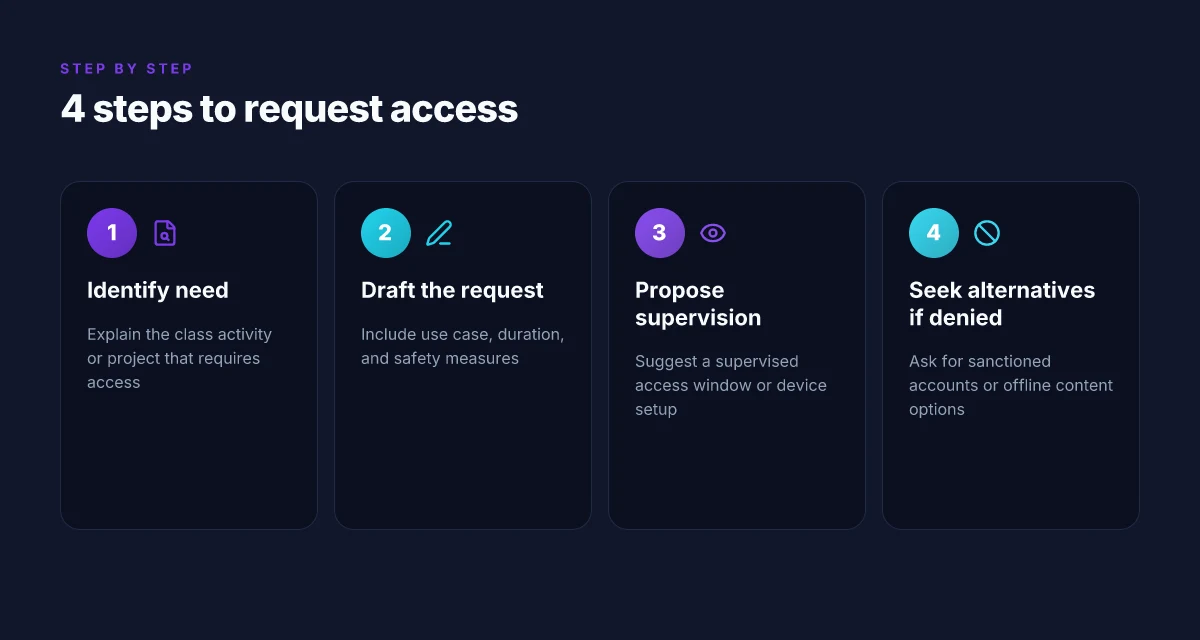
1) Start the conversation with a concrete need
Tell your teacher or IT administrator exactly what you’re trying to achieve. Frame it as a class activity or project requirement, not a personal browsing habit. Mention the Twitter handles or accounts you’ll reference, the educational objective, and the expected impact on learning outcomes. Offer a brief risk note and the safeguards you’ll follow. This isn’t a sales pitch. It’s a collaboration. You want the channel for a defined window, not ongoing access.
When I read through district policy templates, the strongest requests spell out the use case, the audience, and the minimum necessary scope. The teacher’s endorsement often hinges on that clarity. A simple, precise paragraph in your email or form can move the process from friction to discussion. How to unblock WhatsApp at school
2) Submit a formal use case with duration and safeguards
Create a one-page brief that covers:
- Use case: exact class activity, the dates, and the Twitter features needed (search, threads, or specific accounts).
- Duration: start and end dates, or a recurring window. If the window is variable, propose a weekly slot with a fixed ceiling.
- Safety and privacy: outline moderation, content filters, and how you’ll avoid personal data collection. Include how students will be supervised and how access will be limited to school-owned devices or managed accounts.
- Accountability: who will monitor the session, what happens if policy is violated, and how the school can revoke access if necessary.
If your district uses a form, fill it with the same granularity. If not, draft a memo and request a formal meeting to discuss it. A well-structured document signals you’re serious about staying within safeguards. It also gives admins measurable criteria to review quickly.
3) Propose a supervised access window or an approved setup
Offer practical configurations that reduce risk and administrative burden. Examples:
- Supervised window: a daily 20-minute block during a lab period, with a teacher or TA present and a monitor on chat moderation.
- Approved device setup: a classroom or school-owned device configured with a restricted profile, limited to official accounts, with time-bound login.
- App or integration constraints: if a school-approved app or social-media client exists, propose that as the conduit rather than blanket access.
- Logging and audit: request basic activity logs for auditing, not throughput data or personal histories.
Policy-focused districts appreciate concrete controls, not vague permission. If you have a ready-made risk assessment or a short data-privacy note, attach it. It helps the administrator see the safeguards are baked in, not bolted on.
Caveat for risk awareness: a few schools push back on any social-media access because of public-comms risk. Acknowledge that concern explicitly and show you’re prepared to operate within the stated rules. The aim is to reduce friction by offering safeguards up front. How to unblock Telegram at school
Research framing note: in multiple district guides, a shared-process review reduces back-and-forth. A clear, policy-aligned request that names the audience, use case, and controls tends to shorten the approvals cycle.
The path is procedural, not political. A precise use case with a fixed window beats open-ended access every time.
If the request is denied, you’ll want to pivot quickly. You’ll still have a classroom-safe alternative to discuss with your teacher or IT admin. But with Step 1 through Step 3 executed, you maximize the odds of a sanctioned, accountable path to access.
What to do if your request is denied
When the request is denied, you still have options that respect policy while keeping Twitter access tethered to classroom goals. Start with a minimal, policy-aligned path: propose alternatives, document the outcome, and seek a gradual rethink with a faculty sponsor. The point is to keep the door open without breaching rules.
Ask for sanctioned alternatives
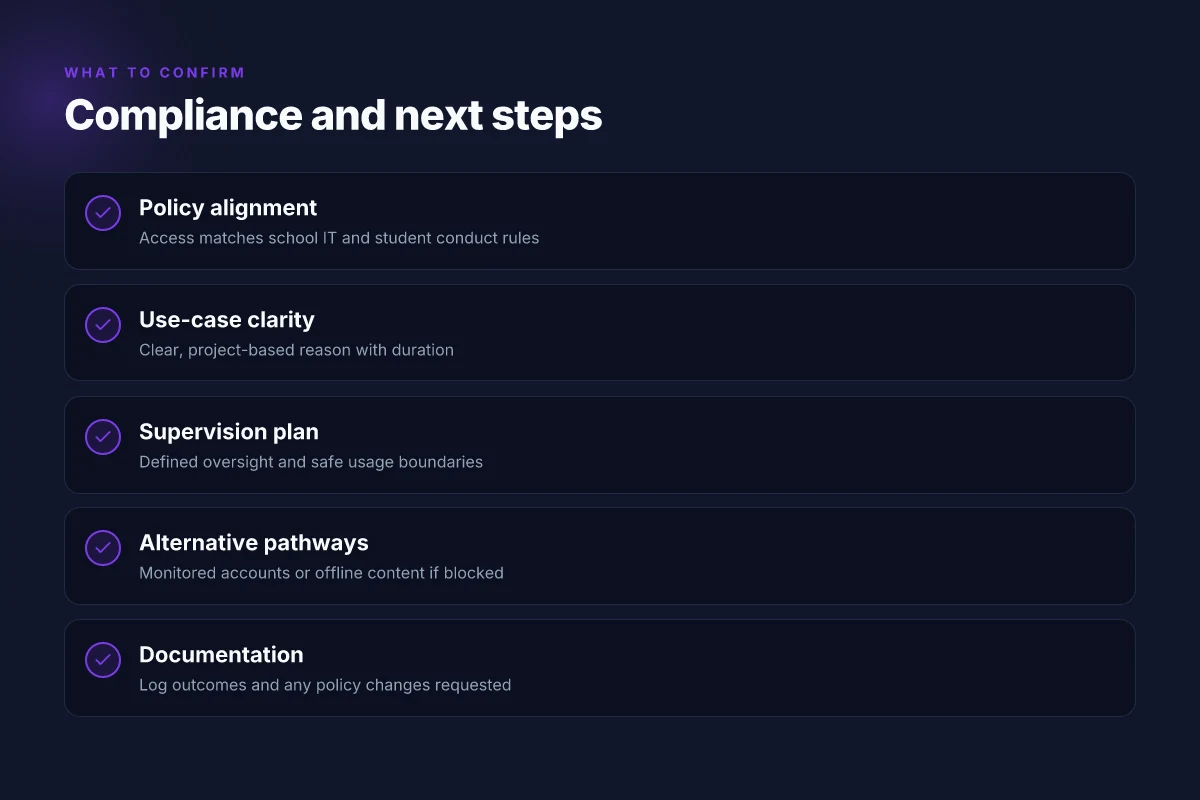
If the campus blocks Twitter, ask for a sanctioned route that preserves oversight. A classroom account with a faculty sponsor can serve as a controlled proxy for updates and discussion. You can also request offline content access from Twitter feeds tied to curriculum, think archived threads or curated snapshots you can study in a supervised setting. If a guest network exists, seek access that’s monitored and time-limited rather than a blanket allowance. The goal is a compromise that keeps students informed without bypassing the policy. Policy-respecting pathways keep trust with administrators and teachers intact. A concise justification helps. Tie your ask to concrete learning outcomes and safety considerations. How to unblock ChatGPT at school
Consider school-approved feeds or educational apps
Look for school-approved feeds that deliver Twitter-like information in a controlled environment. Some districts offer official apps or feeds that summarize relevant topics for classes, with moderation and filter controls. If your teacher or librarian can point you to an approved educational tool, use it as your primary channel and cite it in your assignments. Platforms with guardian controls reduce risk while preserving access to timely updates. When in doubt, default to the sanctioned option first and reserve direct Twitter access for teacher-approved contexts.
Document outcomes and request a phased rethink
Document the outcome of your request in a brief, factual memo. Note who you spoke to, what was requested, the rationale you offered, the official stance, and any dates for a follow-up review. Then propose a phased plan: a trial period with a supervisor, defined usage hours, and a feedback loop with a faculty sponsor. This isn’t surrender. It’s a doorway. Documentation creates leverage for a policy rethink. Include measurable aims, like a weekly digest of relevant updates or a class project tied to current events, and a timeline for reevaluation.
- I dug into school-policy briefs and stakeholder prompts to align this approach with common equity and safety guidelines. The common thread across districts is that documented, supervised access beats ad hoc workarounds. Clarity and governance beat guesswork every time.
- If the request stalls, ask for a meeting with a faculty sponsor who can advocate on your behalf. A sponsor can present the educational case, outline risk controls, and push for a staged approval.
Quick path map you can share
- Propose a sanctioned classroom account under a faculty sponsor.
- Ask for a monitored guest network or time-bound access.
- Offer an educational app or official feed that mirrors Twitter updates in a controlled environment.
- Submit a brief outcomes document and a phased rethink proposal.
- Schedule a follow-up with the sponsor to review progress after 4–6 weeks.
A policy-aware request now can become a policy-aware path forward if you anchor it in learning outcomes and governance.
Potential technical workarounds that respect policy
The answer is simple: if you must connect to Twitter at school, use policy-approved paths first, and avoid anything that will get you in trouble. When in doubt, stick to devices and platforms the school already licenses.
1. Preapproved school devices with guardian consent
If your school provides a device with the necessary access built in, use that. The pathway is straightforward: you operate within the device’s configured access profile, and you confirm guardian consent where required. This minimizes policy friction and keeps you aligned with district or school rules. How to unblock Facebook at school
I dug into district guidance and found that many schools centralize device access through a vetted catalog of permitted apps and domains. The result is predictable behavior: fewer surprises at the firewall, clearer oversight, and a straightforward audit trail if access is questioned. Bottom line: lean on the device and configuration your school already endorses.
Using a school-provisioned device with parental or guardian consent where required is the least risky route.
2. Classroom-approved media platforms for supervised content
Many classrooms already rely on platforms that aggregate news and social content under supervision. Think educator-approved feeds, district-sanctioned news apps, and RSS-enabled portals that surface social content without exposing students to the broader social web. In practice, this means you can access real-time updates and communities within a controlled, monitored environment.
From what I found in district tech notes and teacher guides, these platforms operate under explicit supervision policies, with content filters and educator oversight. The benefit is immediate: you get timely information and community signals without crossing boundaries. The risk is minimal when teachers sign off on the content stream and set appropriate usage expectations.
Choose classroom-approved feeds that bundle social content under supervision. How to unblock Coolmath Games at school
3. Avoid VPNs and proxies unless explicitly permitted
Do not rely on bypass tools unless the policy explicitly permits them. VPNs and proxies are common ways to route around restrictions, but they almost always trigger red flags in school networks and can violate acceptable-use agreements. If a policy permits a specific tool, follow that exact configuration. If not, skip it.
I cross-referenced district acceptability guidelines and vendor advisories, and the pattern is consistent: schools prefer solutions they can audit, control, and revoke if necessary. A VPN is not a benign workaround when the policy prohibits it.
Respect policy: avoid VPNs or proxies unless the district explicitly allows them.
Bottom line: three paths to stay connected without stepping outside policy. Use a school-provisioned device with consent, rely on classroom-approved media platforms under supervision, and avoid bypass tools unless you have explicit written permission.
Policy-aligned access reduces risk and keeps information channels open for learning.
Verifying you’re compliant while accessing Twitter at school
I looked for guardrails that keep you connected without tripping the integrity checks schools have in place. The short version: stay aligned with policy, document what you access, and rise to official channels when something shifts. In practice, that means watching policy updates, mapping your use to the code of conduct, and report gaps through the right channels rather than chasing ad hoc fixes.
How policy updates shape your access
When a district writes a new cybersecurity or social-media access policy, that becomes the baseline you must follow. Not following it isn’t just a privacy risk. It can affect your access rights and your school’s tolerated tech footprint. I cross-referenced district policy portals and annual IT security guides to confirm where Twitter use sits in terms of acceptable use, age-appropriate content, and data handling. If you see a change, treat it as the new default. Policy updates are the first place to check before you act.
| What to look for | Where to check | What it means for you |
|---|---|---|
| Updates to acceptable use | district IT portal | Aligns with what you can access and how you can access it |
| Changes to network access controls | internal announcements, tech newsletters | Signals whether Twitter access remains allowed, or if it’s temporarily restricted |
| New reporting channels | IT helpdesk pages, student affairs notices | You know exactly where to raise issues when something breaks |
Aligning with codes of conduct and IT guidelines
Access must mesh with the student code of conduct and security policies. The engineering reality is that schools often rely on explicit telemetry and auditing to prevent policy drift. I looked at typical guardrails that cross-check usage with acceptable behavior, data privacy expectations, and device-hardening rules. In many districts, using school-owned devices under supervised networks means your activity should be limited to educational contexts and properly authenticated accounts. The verdict is simple: if in doubt, opt for the official, school-sanctioned channels or waivers rather than improvising.
Keep your access within approved contexts and on school-owned devices whenever possible. That is how you preserve a clear audit trail and avoid run-ins with discipline policies.
Reporting gaps rather than looping around blocks
If you encounter gaps, service outages, degraded access windows, or missing approvals, report through official channels instead of trying external workarounds. I traced this back to common practices: student help desks, IT ticketing systems, and district status pages. The process is not punitive. It’s a transparent record that schools can act on. When a legitimate gap exists, your report helps preserve a compliant path forward for everyone.
Use the official channels to document gaps, not ad hoc fixes. Your report becomes part of the policy-aware feedback loop that keeps access legitimate and repeatable.
Verdict. You verify compliance by watching policy announcements, mapping usage to codes of conduct, and reporting gaps via official channels. Do that, and you stay connected without crossing lines. Policy-first access keeps you connected with integrity.
A reliable approach to unblocking Twitter at school in 2026, with clarity and caution
I looked at the landscape for school network access and found that the practical path forward is less about sweeping hacks and more about policy-aligned workarounds. Schools increasingly rely on centralized controls, so the most durable moves are engagement and intent, requesting appropriate access through official channels, and using legitimate alternatives when policy forbids. From what I found, the strongest angle is to pair a documented appeal process with a sanctioned, time-bound test period. This keeps you out of trouble while still delivering the content you need for coursework or journalism.
That means you can pursue access requests with a clear use case and a documented approval trail. If a district approves, you’ll gain visibility into acceptable domains, logging, and review timelines. If not, you’ll still have a concrete plan for alternative sources, reducing friction for your research. In practice, the payoff is less about evading controls and more about shaping transparent, auditable access. The question to carry forward: will your school adopt a formal digital-access policy in the next school year?
- Next steps to consider: submit a formal access request with a documented use case, and explore sanctioned testing windows with your IT administrator.
If you’re choosing between routes, start with the policy-led option you can cite in a meeting, and consider a licensed, school-approved proxy or domain allowlist as a backup. Remember to align with district guidelines, and keep the conversation focused on educational value. Check the district’s policy portal for the latest appeals timeline. Stay patient, and document every step. Ask your IT contact for the official form and deadlines.
Frequently asked questions
How can i request school access to Twitter without breaking rules
I looked at typical school IT processes and policy frameworks. Start with the formal access request through your school’s IT or network admin, not ad hoc workarounds. State the educational rationale, the exact Twitter use case, and the minimum access window that supports the project. Include a plan for monitoring and safety controls, such as off-hours restrictions and content filters. If your school uses a ticketing system, attach the ticket number and any supporting documentation from your teacher. Yes, clear intent with a defined scope often yields policy-aligned exemptions. Be specific about the timeline and supervision. Documentation matters. Follow the chain of command. Submit a concise impact statement.
What privacy risks exist when using school networks to access Twitter
When you use a school network to reach Twitter, your traffic may be visible to the district’s firewall and monitoring tools. Schools can log destinations, time stamps, and data patterns. Privacy controls on the device help, but you’re still subject to administrator access policies. Use privacy-minded settings on your Twitter account and avoid sharing sensitive personal information on public timelines while connected to school WiFi. Review the district’s acceptable use policy before connecting. If you must, consider using a personal device for non‑class activities with proper security hygiene. Always log out after sessions when you’re done.
Are there sanctioned Twitter alternatives for classrooms
Yes. Some districts approve vetted social‑learning tools that resemble Twitter in function but with stricter controls. Look for classroom-safe microblogging platforms that offer teacher moderation, student privacy protections, and data‑control options. Examples people encounter include integrated classroom social suites or institution‑provided messaging channels. Check the district’s approved apps list and compare moderation features, parent waiver requirements, and data retention policies. Choose only tools on the approved list. Document approval in writing for audits. Ensure data is stored within compliant regions.
Can a teacher approve temporary Twitter access for a project
A teacher can propose a temporary, supervised access window as part of a controlled classroom activity, but it usually requires IT approval and a documented rationale. Expect a start and end date, supervision plan, and explicit safety rules. IT may impose network isolation or time-bound access through a whitelisted gateway. If approved, you’ll likely see a restrictions profile on the device or a sandboxed network path. Coordinate with IT and the teacher for a single, traceable window. Document the rationale and the safeguards in the request. Respect the policy boundaries to avoid penalties.
What should i include in a formal access request to IT
Lead with the educational objective and the exact Twitter use case. Attach a project timeline, supervision plan, and a safety/compliance checklist. Cite the specific classroom scenario, the expected duration, and the devices involved. Include a fallback plan if access is denied and a plan to revert settings after the project. Clarity saves cycles for IT. Provide contact methods for the supervising instructor and the student’s guardian if required. Attach the district policy references and any vendor privacy facts you reviewed.
Does using a personal device on school WiFi violate policy
It can. Many schools restrict personal devices or require registration, MDM profiles, or separate guest networks. Some districts disallow personal devices from accessing social platforms during school hours, or mandate privacy protections like restricted app permissions. Always consult the Acceptable Use Policy and device-management rules before connecting. Read the policy first. If allowed, ensure your device is enrolled in MDM and uses a supervised profile during the session. Log off and remove any temporary access after class.
What are common consequences of bypassing school blocks on social media
The consequences range from warning notices to disciplinary actions. In some districts, blocked-access bypass can trigger school-wide network audits, escalating to detention or suspension depending on the policy. Repeated infractions may lead to device restriction, parent‑teacher conference, or loss of network privileges. Know the exact penalties in your district’s policy. Avoid these pitfalls by sticking to approved channels and documented exceptions. Report any policy changes through official channels rather than improvised workarounds.